

Appearance
Analytics
Analytics (/analytics) shows how people watch and listen to your content — views, viewers, watch time, devices, and more.
Analytics is off by default
Data is only collected when you enable it in Settings → Analytics. If analytics is off, a banner on the page links you straight to the setting to turn it on. Nothing is recorded until then.
How a view is counted
A view is one viewer per media item per day. Same-day replays and page reloads by the same viewer are not double-counted.
Privacy
Tracking captures the device (desktop or mobile) and the traffic source (the referring site's hostname, or direct when there is none). No geolocation is collected.
Filters
Every tab shares two controls:
- A date-range filter
- A content-type filter
Tabs
Analytics is organized into three tabs: Overview, Media and Audience
Overview
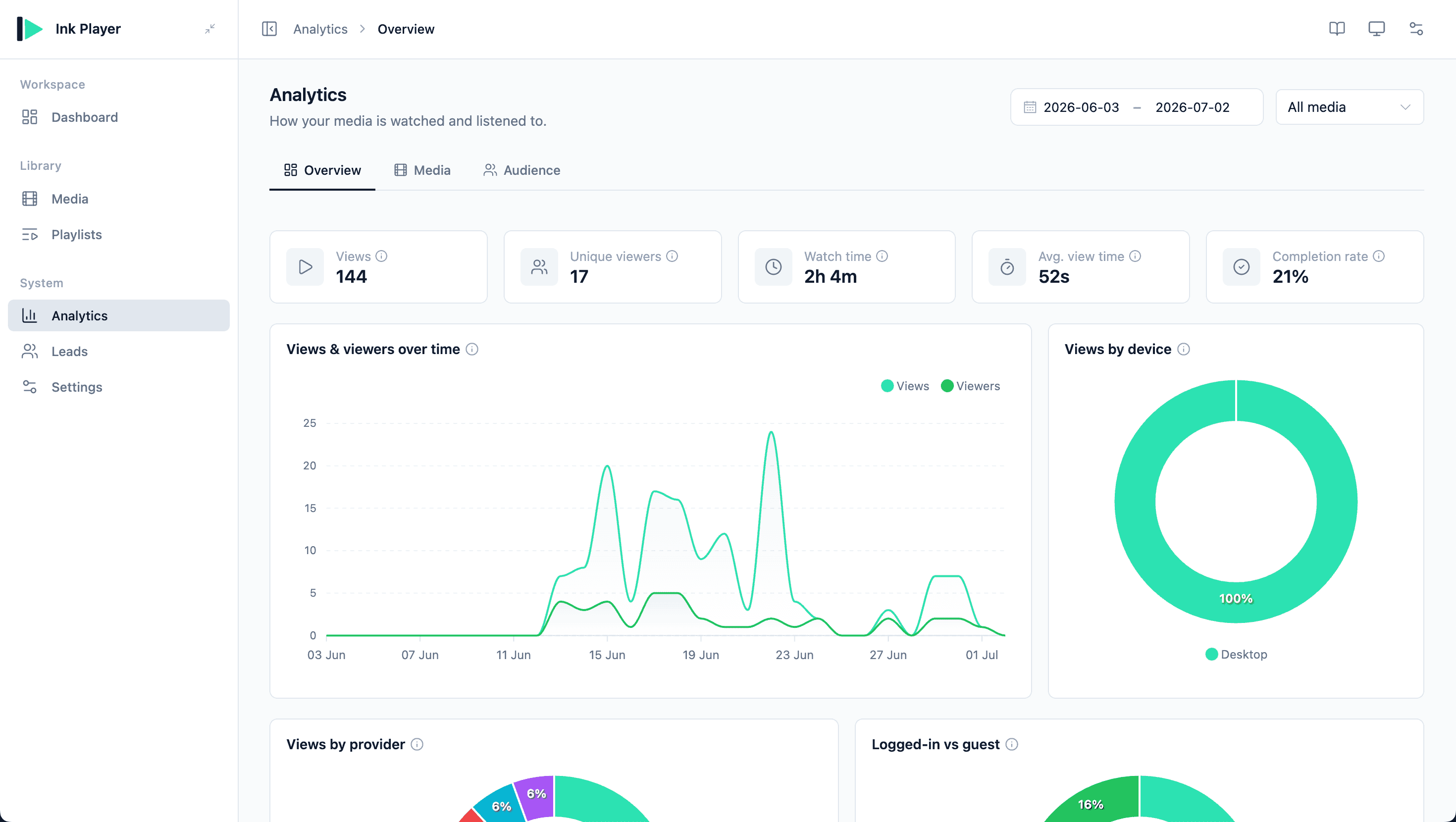
The Overview tab summarizes performance across all content.
KPIs:
| KPI | Meaning |
|---|---|
| Views | Total views in range |
| Unique viewers | Distinct viewers |
| Watch time | Total time watched |
| Avg. view time | Average time per view |
| Completion rate | Share of views that watched ≥ 95% |
Charts:
- Views & viewers over time — an area chart
- Views by device — doughnut (desktop / mobile)
- Views by provider — doughnut
- Logged-in vs guest — doughnut
Info tooltips
Every KPI and chart has an info (ⓘ) tooltip explaining exactly what it measures.
Media
A sortable table with one row per media item, showing Views, Unique views, Watch time, Avg. view time, and Completion.
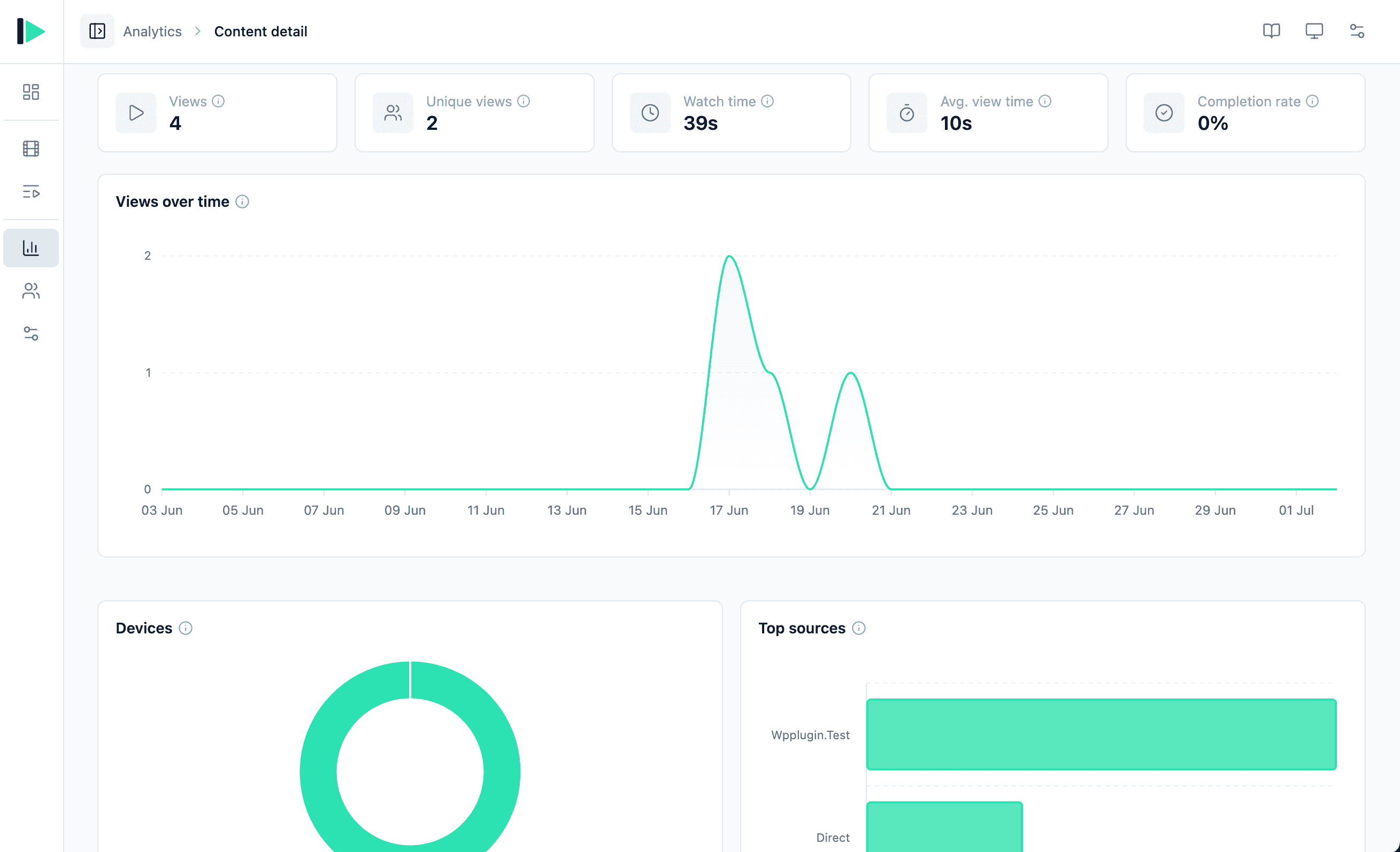
Click any row to open a media detail page with:
- KPIs for that item
- Views over time
- A devices doughnut
- A top-sources bar chart
Audience
A sortable table with one row per logged-in viewer, showing Views, Watch time, Avg. view time, Media watched, and Avg. watched.
Click a row for a viewer detail page with KPIs (Views, Watch time, Avg. view time, Media watched, Avg. watched), a watch-time-by-type doughnut, and recent items.
Guests vs logged-in users
Guests are included in your overall totals, but the Audience list shows logged-in users only — guests have no account to attribute rows to.
Real-time
Shows active viewers in roughly the last 90 seconds and what is currently playing.
Related
- Settings → Analytics — enable tracking
- Media — the items being measured
- Playlists