

Appearance
Integrations
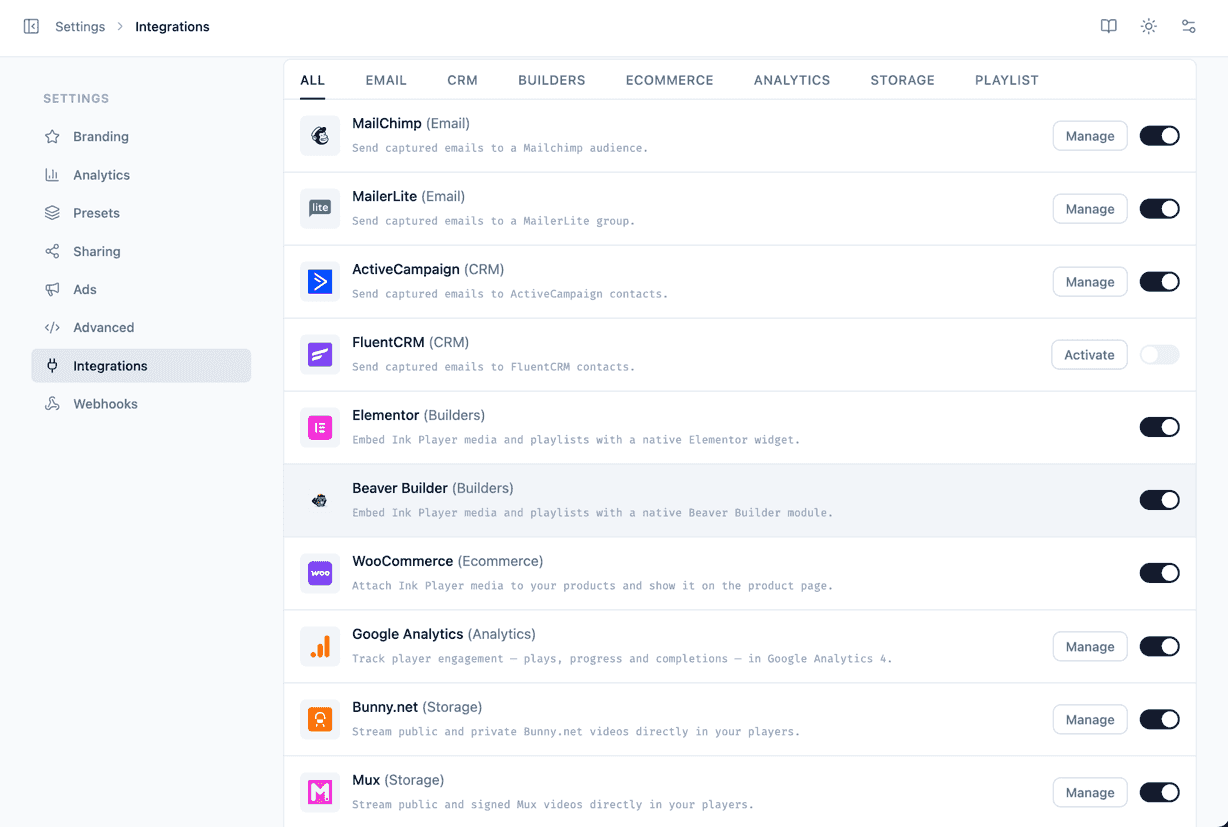
The Settings → Integrations screen is where you connect Ink Player to the storage providers, video platforms, marketing tools, and page builders you already use. Everything is presented as a grid of cards so you can see — and turn on — exactly what you need.
 Bunny.netStorage→
 MuxStorage→
 Cloudflare StreamStorage→
 Cloudflare R2Storage→
 YouTubeVideo→
 VimeoVideo→
 MailchimpEmail→
 MailerLiteEmail→
 ActiveCampaignCRM→
 FluentCRMCRM→
 WooCommerceE-commerce→
 ElementorBuilder→
 Beaver BuilderBuilder→
 Google AnalyticsAnalytics→
 AutomatorWPAutomation→
The Integrations grid
Each integration appears as a card showing its logo, its name, and one or both of the following controls:
- Enable toggle — switches the integration on or off.
- Manage button — opens a Manage screen where you enter credentials and configure options. Only integrations that need configuration show this button.
Cards are organized into categories so related tools are grouped together:
- Storage — where your media files and streams are hosted.
- Video — third-party video platforms you embed from.
- Email — email marketing and newsletter services.
- CRM — customer-relationship and contact tools.
- E-commerce — online store platforms.
- Builder — page builders Ink Player plugs into.
- Analytics — playback and engagement reporting.
- Automation — no-code automation platforms Ink Player can trigger.
Enabling and managing an integration
- Go to Settings → Integrations.
- Find the integration's card in its category.
- Flip the Enable toggle on.
- If the card has a Manage button, click it to open the Manage screen.
- Work through the settings tabs and enter the required credentials.
- Save your changes.
TIP
You can enable an integration first and configure it later. Until valid credentials are saved, features that depend on it won't be available.
Test connection
Most credential-based integrations include a Test connection button on their Manage screen. After entering your credentials, click it to confirm that Ink Player can reach the service and that your keys are valid — before you rely on the integration for live media. A few (such as Bunny.net) save without a test step.
WARNING
If Test connection fails, double-check each credential for stray spaces or copy-paste errors and confirm the keys belong to the correct account or library. Save and test again until it succeeds.
INFO
Storage and Video integrations feed directly into your Media library. For how protected content stays private, see Access control.