

Appearance
Dashboard
The Dashboard is the first screen inside the Ink Player admin area. It gives you a compact overview of your media library, recent activity, and the next actions most site owners need.
The header carries the primary create buttons — Add video, Add audio, and New playlist — so you can start new content from anywhere.
What you see
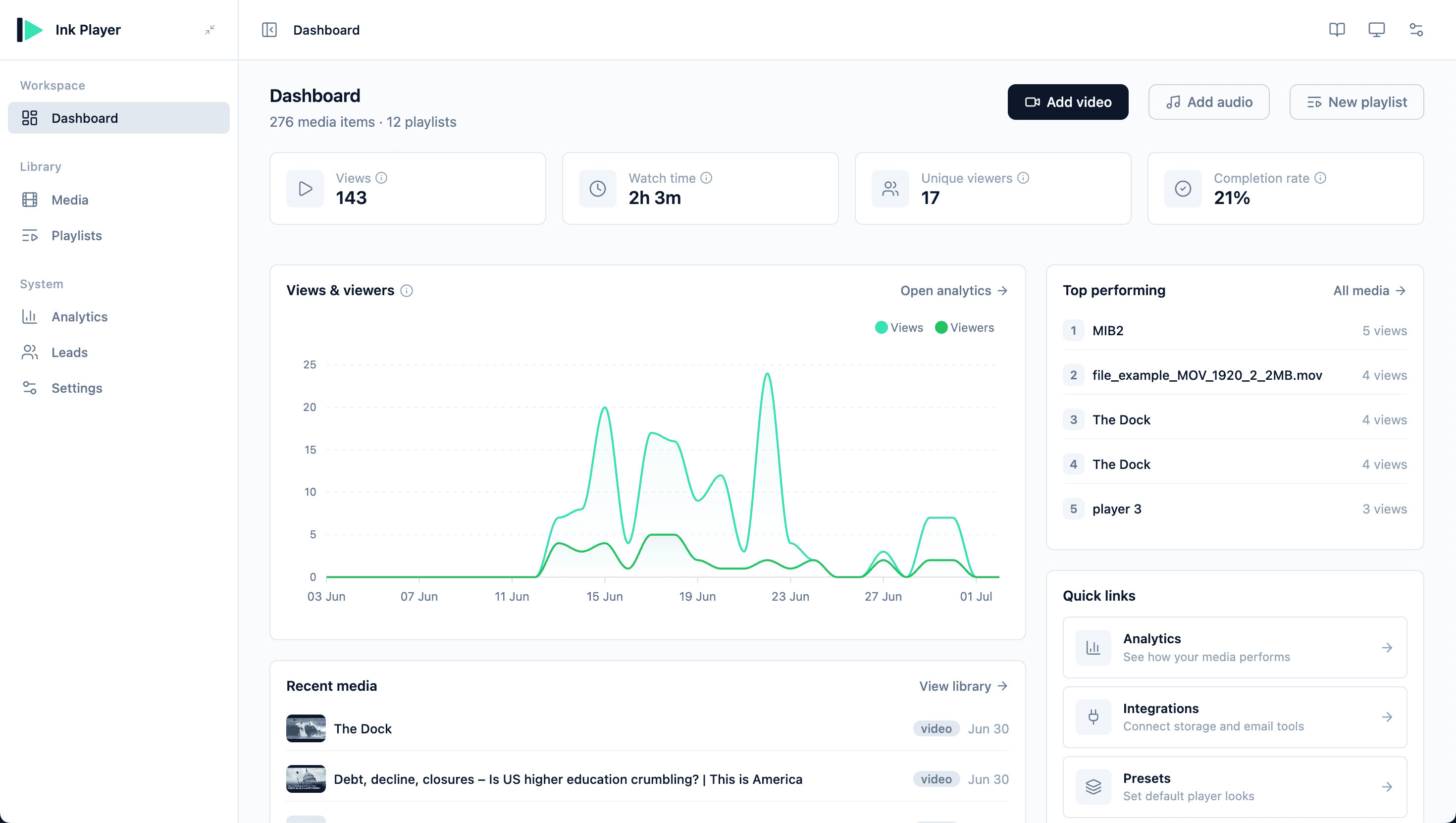
The dashboard is designed for quick scanning:
- Performance cards — four KPIs over the last 30 days: Views, Watch time, Unique viewers, and Completion rate (the share of views that reached at least 95%).
- Views & viewers chart — an area chart of daily views and unique viewers across the same 30-day window.
- Recent media — the newest video and audio items added to the library.
- Recent playlists — playlist shortcuts so you can keep collections current.
- Top performing — media items with the most views during the reporting window.
- Quick links — shortcuts to Analytics, Integrations, Presets, and Branding.
- Resources — useful documentation and support links.
INFO
When analytics tracking is off, the dashboard shows an "Analytics tracking is off" notice with an Enable analytics link, and the KPI cards read zero. They only become meaningful after you enable tracking in Settings → Analytics. Until then, use the dashboard as a launch point for setup and library management.
The Recent media and Recent playlists lists show your newest items regardless of status, so items still saved as a draft can appear here too.
Recommended first actions
- Add your first item in Media.
- Choose a default look in Settings → Presets.
- Connect providers in Settings → Integrations if you use Bunny.net, Mux, email tools, or page builders.
- Turn on Analytics when you are ready to collect playback data.
- Add Overlays or Ads where they support your content goals.
When to use another page
Use the dashboard for orientation and shortcuts. Use the dedicated sections for focused work:
| Need | Go to |
|---|---|
| Add, edit, duplicate, or protect a media item | Media |
| Build an ordered video or audio collection | Playlists |
| Review playback trends and audience behavior | Analytics |
| Export or route captured emails | Leads |
| Change global defaults, providers, ads, or webhooks | Settings |