

Appearance
Page builders
If you build pages with Elementor or Beaver Builder, Ink Player gives you native widgets so you can drop a player or playlist straight into your layout — no shortcode needed.
What you get
- Elementor — a native Ink Player widget
- Beaver Builder — a native Ink Player module
Each one lets you add an Ink Player or an Ink Playlist through a picker, the same way you would choose any other element in the builder.
Enable the integration
The builder widgets only appear once you turn on the matching integration.
- In the WordPress admin, go to Settings → Integrations.
- Enable the Elementor integration, the Beaver Builder integration, or both.
TIP
Only enable the integration for the builder you actually use. There is no need to turn on Elementor if your site is built with Beaver Builder, and vice versa.
Add a player in Elementor
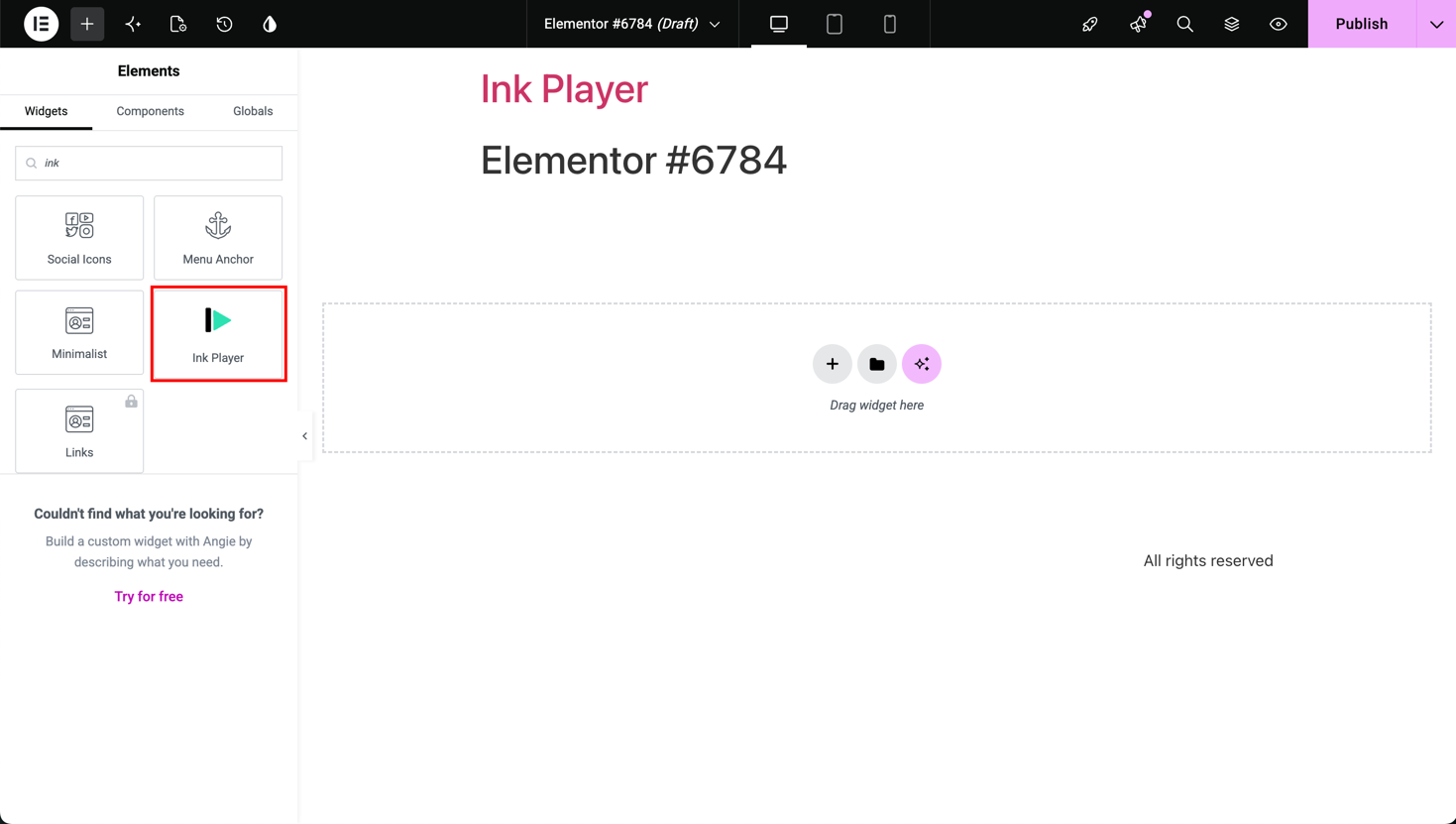
- Edit a page with Elementor.
- From the widget panel, drag the Ink Player (or Ink Playlist) widget onto your layout.
- Use the picker to select the media or playlist you want.
Add a player in Beaver Builder
- Edit a page with Beaver Builder.
- Add the Ink Player (or Ink Playlist) module to your layout.
- Use the picker to select the media or playlist you want.
Same media record everywhere
Like blocks and shortcodes, page-builder widgets render from the saved media record. Edit the media item once in the dashboard and the change appears everywhere it is placed — including your Elementor and Beaver Builder layouts.
Related
- Settings → Integrations — enable the builders
- Blocks — the Gutenberg equivalent
- Shortcodes — for classic editors and templates