

Appearance
What is Ink Player?
Ink Player is a WordPress plugin that adds a branded video and audio player plus a media library to your site, all managed from a modern Vue admin dashboard. It gives you one consistent, customizable player for every source — whether your media lives on your own server, on YouTube, or on a streaming platform like Bunny.net or Mux.
One player, every source
Ink Player plays from many providers with a single, consistent player UI:
- Local — self-hosted files uploaded to WordPress
- Remote — any direct URL (MP4, HLS
.m3u8, DASH.mpd, or audio such as MP3) - YouTube and Vimeo
- Bunny.net Stream and Bunny.net Classic Storage
- Mux
Where it lives
After activation, you get a top-level Ink Player menu in the WordPress admin. The dashboard is organized into:
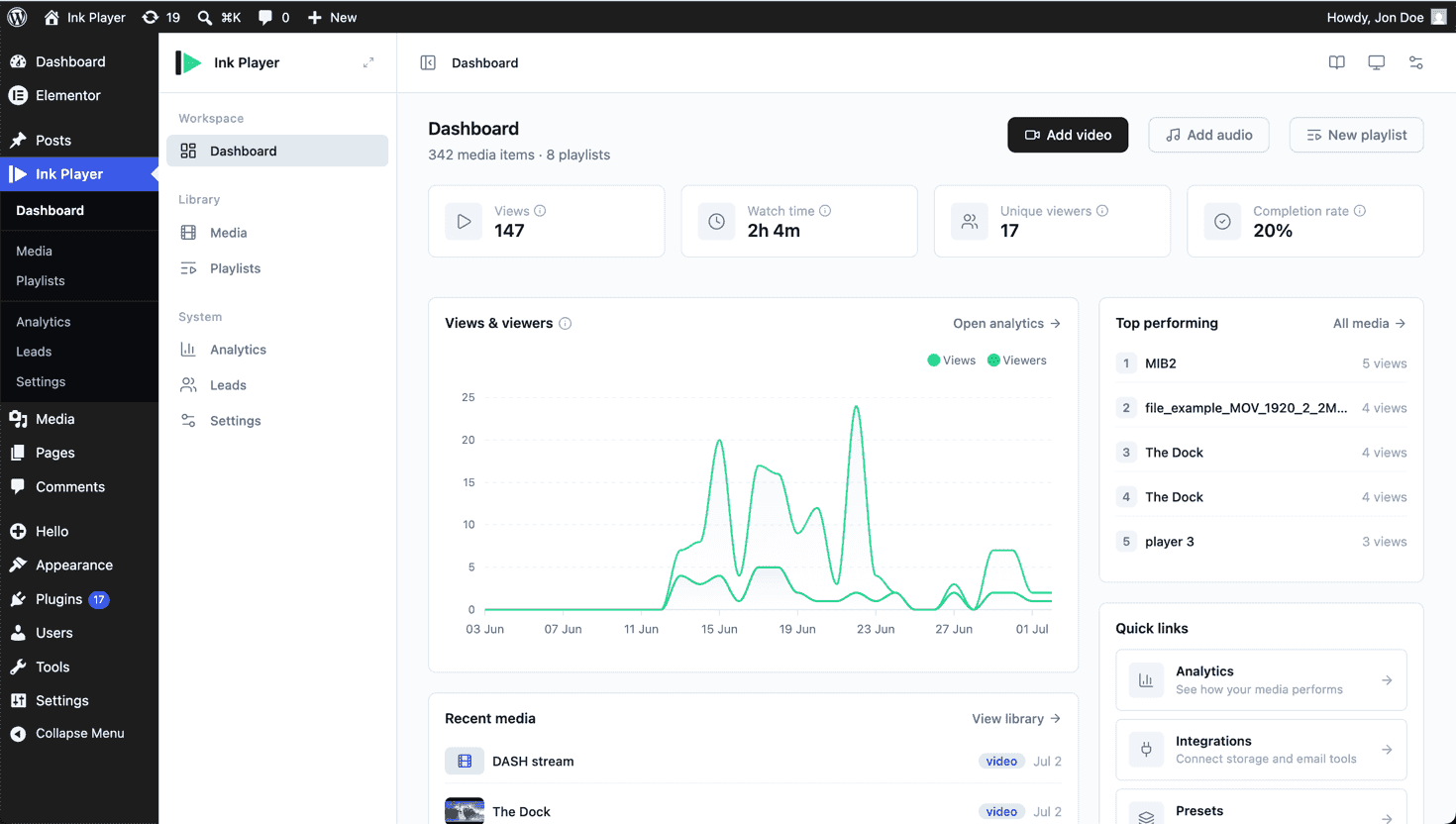
- Dashboard — last-30-day KPIs, a views/viewers chart, top performing media, recent media and playlists, quick links, and resources.
- Library — Media and Playlists.
- System — Analytics, Leads, and Settings.
Settings is split into Branding, Analytics, Presets, Sharing, Ads, Advanced, Webhooks, and Integrations.
TIP
A Docs link in the admin header opens the documentation for the screen you are currently viewing.
The media record is the source of truth
Every piece of media you add becomes a media record. Wherever you place that media — in a Gutenberg block, a shortcode, or a page builder widget — it renders from the saved record by id. Edit the media item once in the dashboard and the change propagates everywhere it is used automatically.
Key features
- A media library with single-record editing
- Video and audio Gutenberg blocks and playlists
- Shortcodes for media, playlists, sharing, and clickable timestamps
- Multi-language video with alternate spoken-language source switching
- Popup — open any video in a lightbox from a poster, button, or text link
- Overlays — calls to action, watermarks, email capture, hotspots, banners, and more
- Linear ads — pre-roll, mid-roll, and post-roll, custom or VAST
- Access control — Public, Private, or Password
- Draft and published — keep media and playlists hidden from visitors while you work, then publish when ready
- Sharing with public share links and embed codes
- Built-in analytics and leads capture
- Branding and reusable presets
- Page builder support for Elementor and Beaver Builder
Requirements
- WordPress 6.0 or later
- PHP 8.0 or later
Ready to begin? See Installation and Getting started.