

Appearance
Sharing
Sharing controls where your Share links open. Every media item in Ink Player has a built-in Share action that gives viewers a clean public link and a ready-to-paste embed code — this page decides which page on your site hosts those links.
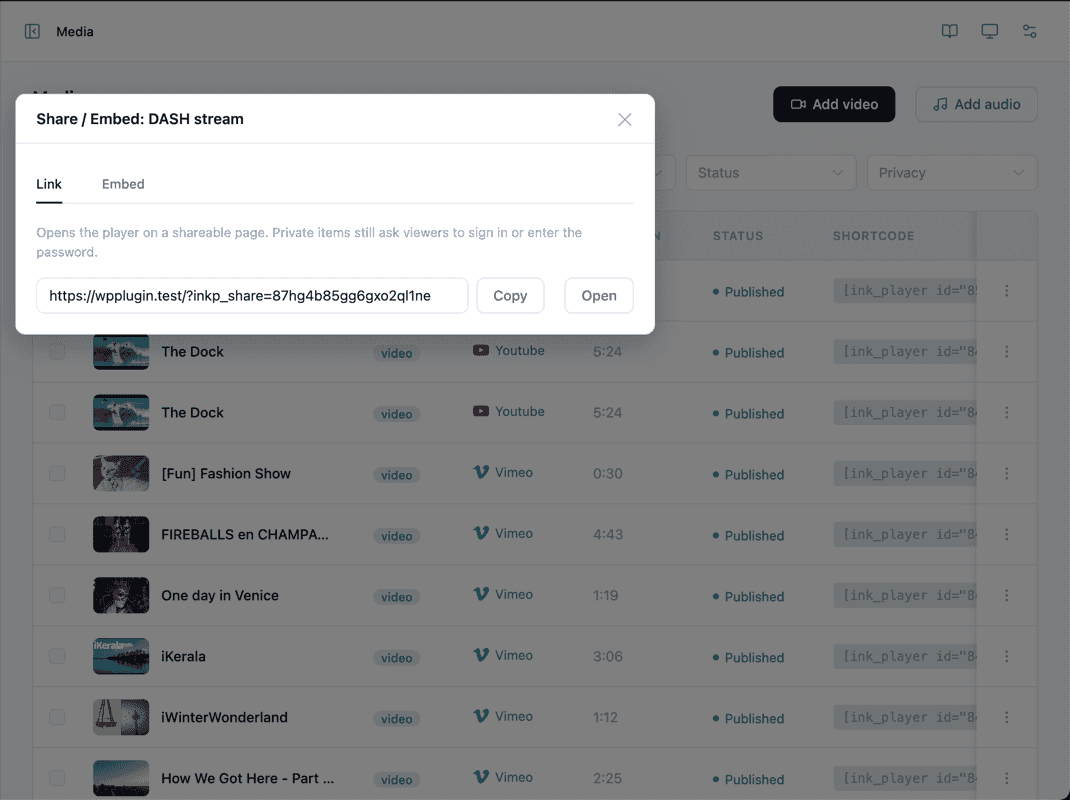
How sharing works
From the Media library (and the player's own menu, where enabled), a Share action opens a dialog with two things:
- Share link — a public URL to a standalone page that plays just that media.
- Embed code — an
<iframe>snippet you can paste into another site to embed the player.
The share and embed pages respect each media's access control — private and password-protected media stay protected when shared.
Share page
By default, share links open on a built-in page that Ink Player renders for you, so sharing works out of the box with no setup.
To host share links on a page you control — so they inherit your theme's header, footer, and styling — point Ink Player at your own page:
- Create a new WordPress page (for example, Watch).
- Add the
[inkp_share]shortcode to its content. - Return here and select that page in the Page dropdown.
Leave the dropdown empty to keep using the built-in default page.
TIP
The [inkp_share] shortcode reads the requested media from the share link automatically — you don't pass it any attributes. See Shortcodes for the full list.
INFO
Remember to Save from the Save bar at the bottom of the page after making changes.