

Appearance
WooCommerce
WooCommerce is the e-commerce plugin for WordPress. With this integration enabled, every product gains an Ink Player tab where you can attach a media item or playlist, choose where it appears on the product page, and control who can watch it — from open demos to purchasers-only premium content.
What this integration does
- Adds an Ink Player tab to the WooCommerce Product data panel.
- Attaches a media item or a whole playlist to any product.
- Lets you pick where the player appears — before the short description, after the description, or in its own product tab.
- Gates playback by visibility: everyone, logged-in users, or purchasers only.
Step 1 — Enable the integration
- Make sure the WooCommerce plugin is installed and active on your site.
- Go to Settings → Integrations.
- Find the WooCommerce card under the E-commerce category and click Enable.
Step 2 — Add Ink Player to a product
Edit any product and open the Ink Player tab in the Product data panel. Pick the content and where it should appear.
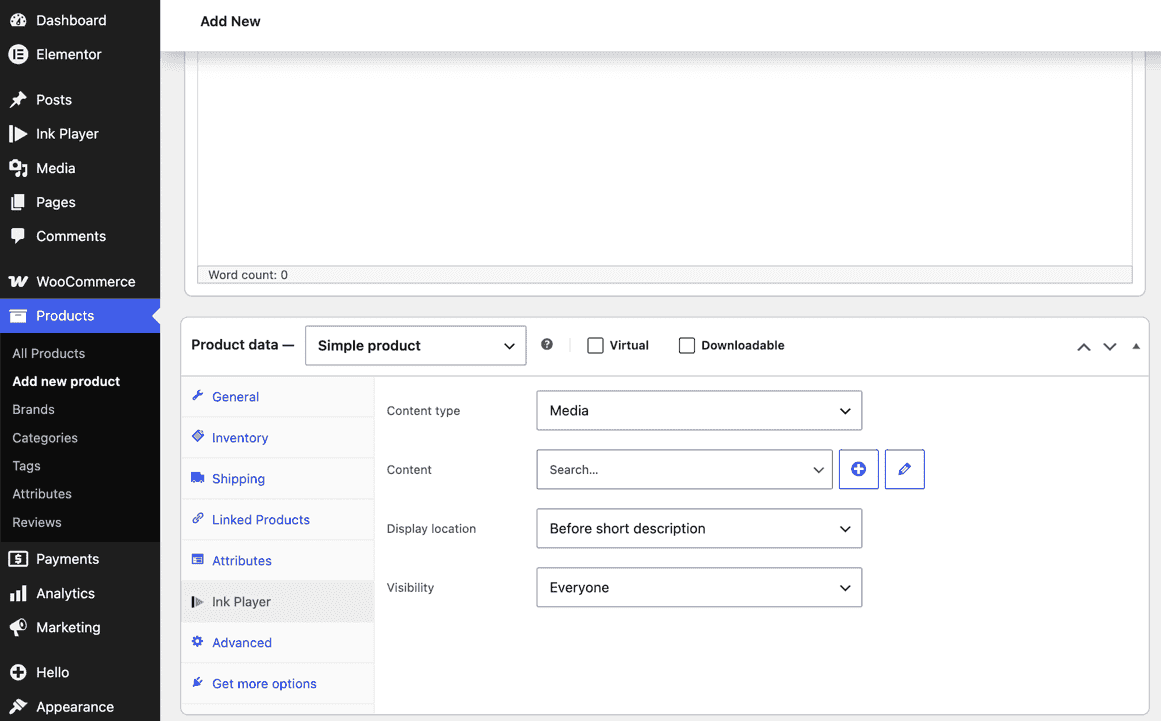
| Field | What it does |
|---|---|
| Content type | Choose Media for a single item or Playlist for a collection. |
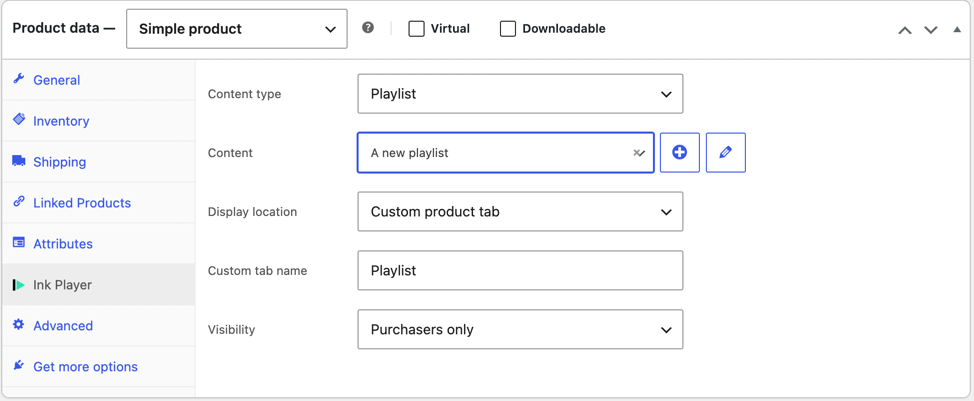
| Content | Search and pick the media or playlist to display. Use + to create a new one or the pencil to edit the selected item. |
| Display location | Where the player renders: Before short description, After description, or Custom product tab. |
| Custom tab name | Only shown when the location is Custom product tab — names the tab on the product page (e.g. Playlist). |
| Visibility | Who can watch — see the next step. |
Step 3 — Set who can watch
Use the Visibility field to control access:
| Option | Who can watch |
|---|---|
| Everyone | All visitors. The content uses its own privacy settings. |
| Logged-in users | Only signed-in users; everyone else sees a sign-in prompt. |
| Purchasers only | Only customers who have bought this product. Others see a purchase prompt. |
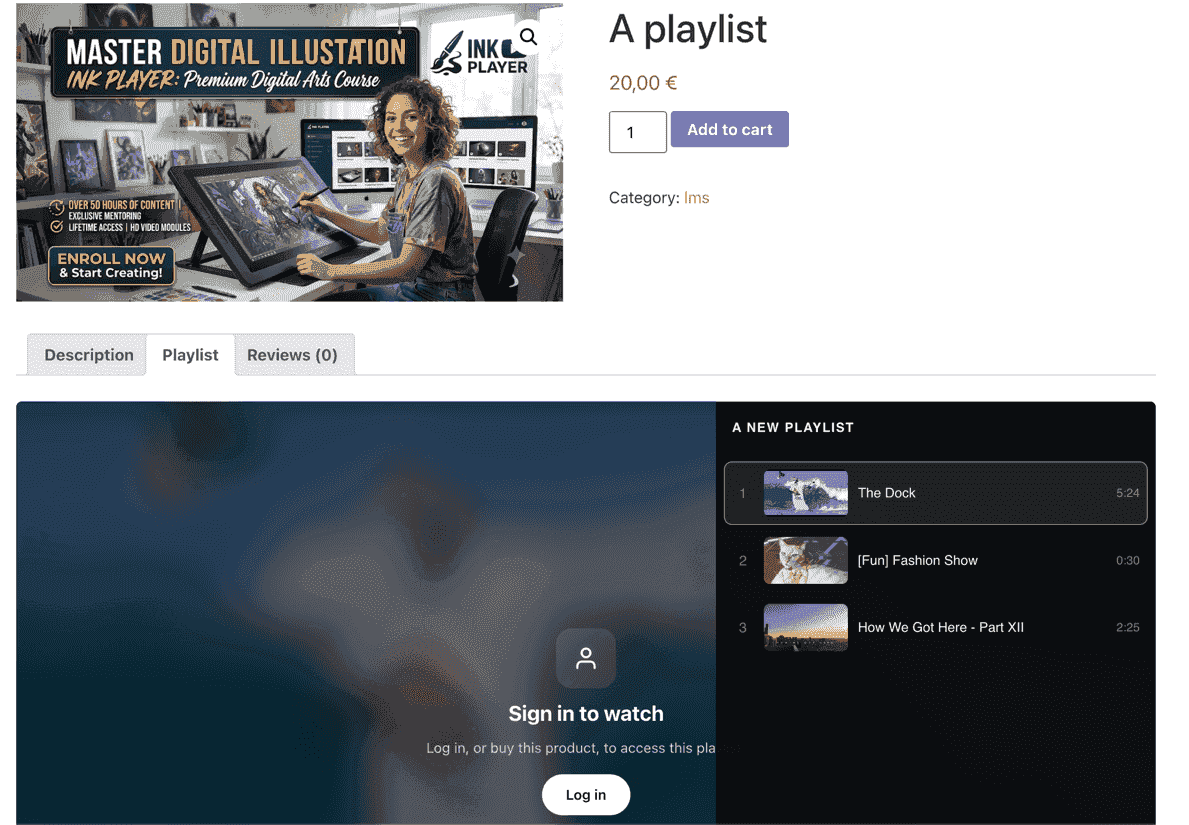
When a visitor isn't allowed to watch, the player shows a lock screen in place of the content.
Step 4 — See it on the product page
The player renders in your chosen location. With Purchasers only, a visitor who hasn't bought the product sees a lock screen prompting them to log in or buy — while paying customers get full playback.
TIP
For a paid course or premium content, attach a playlist, display it in a Custom product tab, and set visibility to Purchasers only — buyers get the full playlist right on the product page.
Requirements
- The WooCommerce plugin must be installed and active.
- At least one Ink Player media item (or playlist) to display.