

Appearance
Bunny.net
Bunny.net is a Storage integration that hosts and delivers your videos through Bunny's global network. Enable it to stream from Bunny Stream libraries and serve files from Classic Storage zones — public or private — directly in your players. Setup is a single step: paste your Bunny.net account API key and Ink Player creates and configures your libraries for you.
What this enables
- Stream from a public Bunny Stream library (served unsigned).
- Stream from a private Bunny Stream library protected with signed, expiring URLs.
- Serve files from public and private Classic Storage zones over a pull-zone CDN.
- Browse, upload, and organize Bunny media without leaving Ink Player.
- Set the initial playback quality for Bunny media.
Prerequisites
- A Bunny.net account.
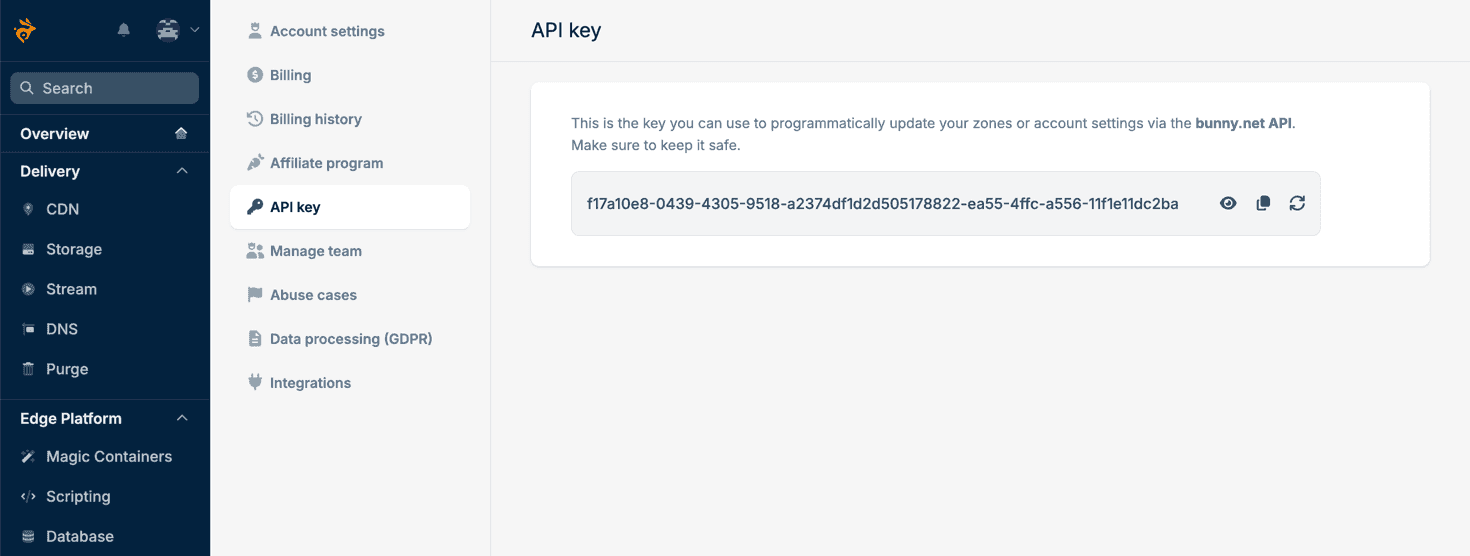
Step 1 — Get your Bunny.net API key
- Open your Bunny.net dashboard and go to Account → API key, or use the direct link: https://dash.bunny.net/account/api-key.
- Reveal the key and copy it. This is your account API key — keep it private.
Step 2 — Enable and connect
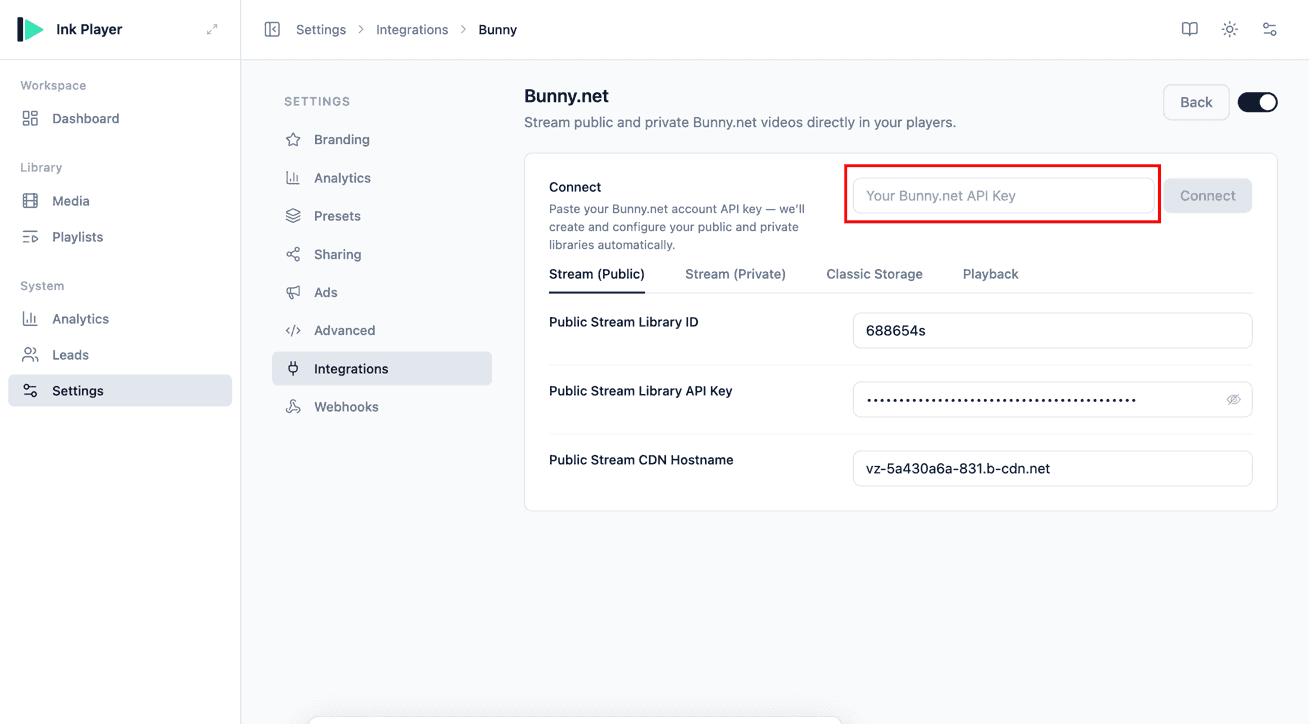
- In Ink Player, go to Settings → Integrations and enable Bunny.net (under the Storage category).
- Click Manage to open its settings.
- In the Connect field, paste your account API key and click Connect.
Ink Player creates and configures your public and private Stream libraries and fills in every setting automatically — the Stream (Public), Stream (Private), and Classic Storage tabs below are populated for you. You don't need to touch them unless you want to change something manually.
TIP
The account API key is only used to provision your libraries. After connecting, the individual fields are yours to edit; manual changes are kept and won't be overwritten.
Step 3 — Add Bunny.net media
- Go to Media and click Add video.
- Under Choose a source, click Bunny.net.
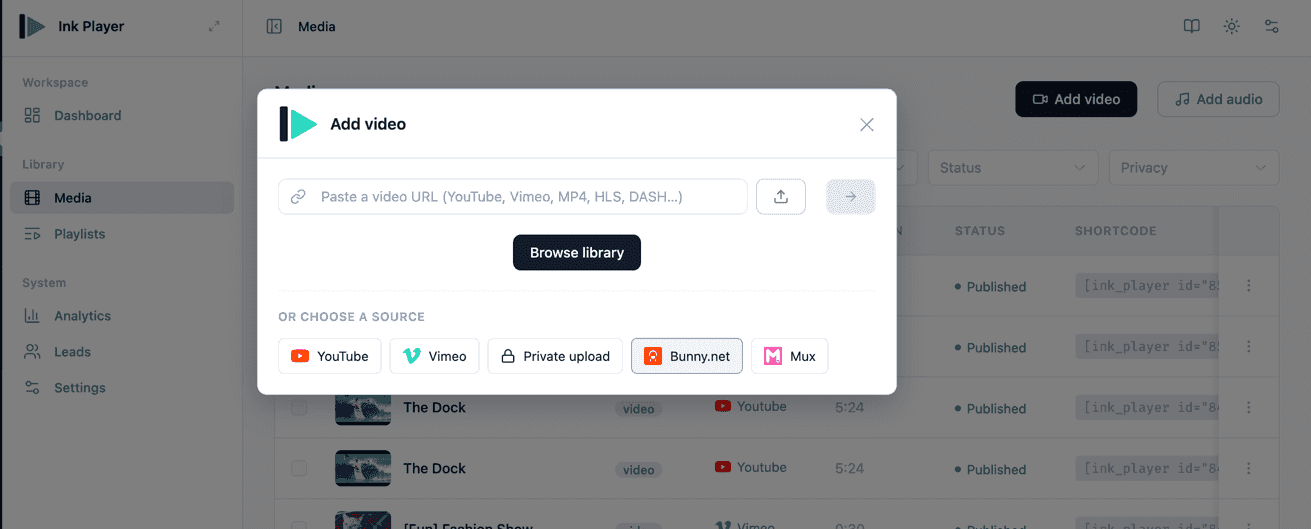
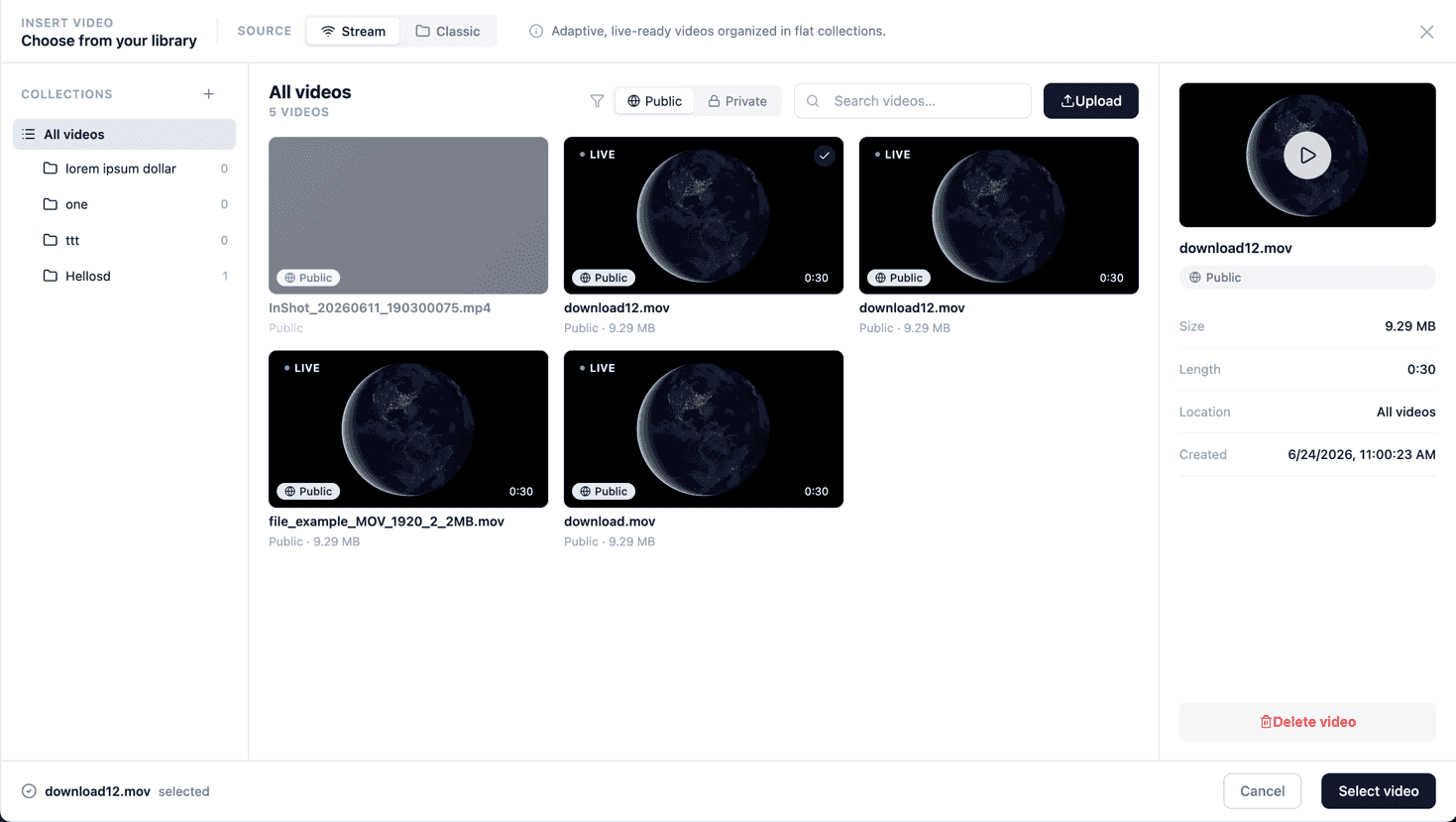
This opens the Bunny.net media picker, where you can:
- Switch between Stream and Classic storage as the source.
- Filter by Public or Private.
- Browse your collections / folders, or Upload a new video.
- Select a video, then click Select video.
Step 4 — The player renders
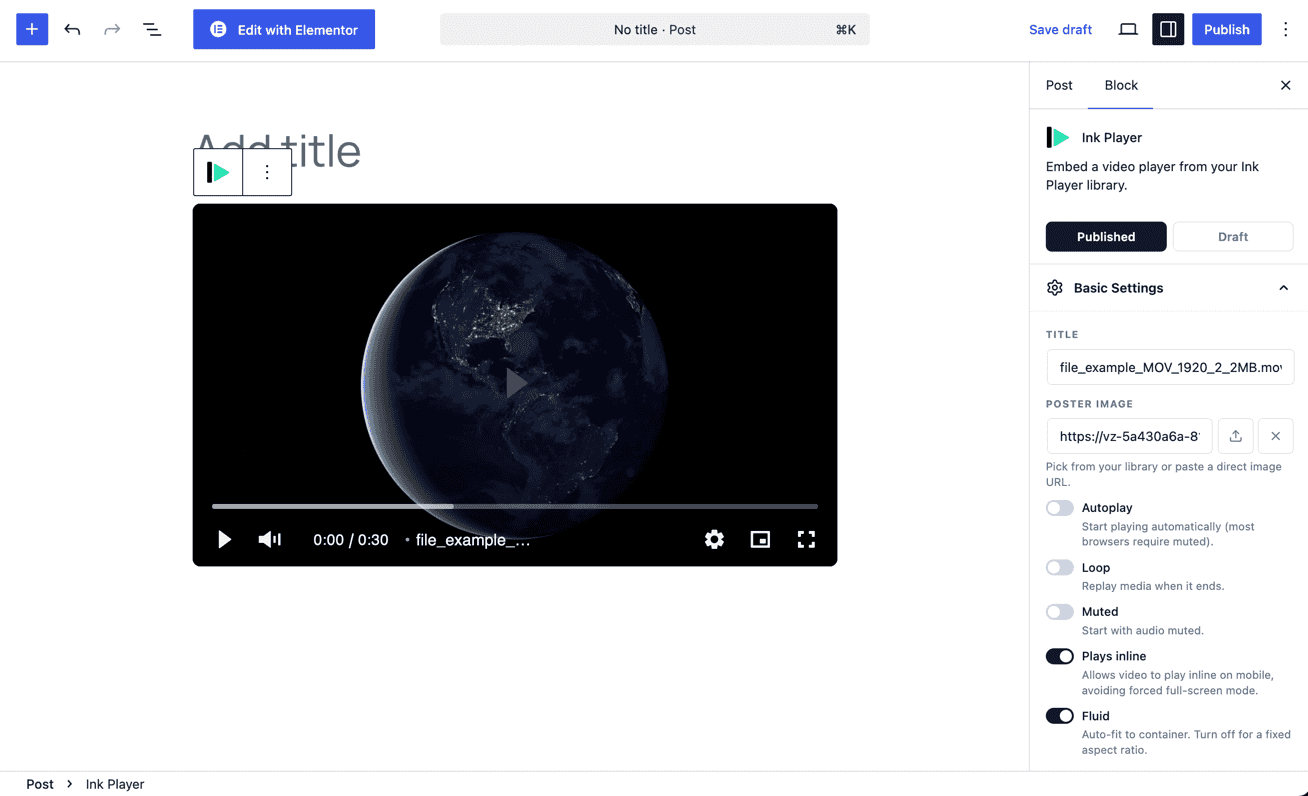
The selected video is added to your Media library and renders as an Ink Player — ready to place in a post, page, or builder, with all the usual player settings.
Settings reference
You normally don't need to edit these — Connect fills them in. They're split across four tabs for manual setup or fine-tuning:
| Field | Tab | Notes |
|---|---|---|
| Public Stream Library ID | Stream (Public) | Your public Stream library ID. |
| Public Stream Library API Key | Stream (Public) | API key for the public library. |
| Public Stream CDN Hostname | Stream (Public) | e.g. vz-xxxx.b-cdn.net. |
| Private Stream Library ID | Stream (Private) | Your private Stream library ID. |
| Private Stream Library API Key | Stream (Private) | API key for the private library. |
| Private Stream CDN Hostname | Stream (Private) | e.g. vz-xxxx.b-cdn.net. |
| Private Stream Token Authentication Key | Stream (Private) | Per-library token key that signs private stream URLs. |
| Public Storage Zone | Classic Storage | Public storage zone name. |
| Public Storage CDN Hostname | Classic Storage | e.g. inkp-public-xxxx.b-cdn.net. |
| Private Storage Zone | Classic Storage | Private storage zone name. |
| Private Storage CDN Hostname | Classic Storage | e.g. inkp-private-xxxx.b-cdn.net. |
| Private Storage Token Authentication Key | Classic Storage | Per-zone token key that signs private storage URLs. |
| Initial quality | Playback | auto, 1080p, 720p, 480p, or 360p. |
INFO
Token authentication keys are per private stream library and per private storage zone — there is no single global token field. Public libraries and zones are served unsigned and need no token key.
Private content and access control
Private streams and files are delivered through token-authenticated URLs — signed links that expire — so the underlying URL stays protected and can't be freely shared or guessed.
INFO
For how Ink Player gates protected media and how signed delivery fits into your overall protection strategy, see Access control.
Notes
- If the Bunny.net card is missing or greyed out, confirm the integration is enabled.
- You only need the modes you use — a public-only setup can leave the private and Classic Storage fields empty.
- If Bunny.net reports an access error, your API key may be valid but the account could be suspended, out of credit, or on an expired trial — check your Bunny.net dashboard.