

Appearance
YouTube
YouTube is a Playlist integration. Enable it to import a YouTube playlist into Ink Player: paste the playlist URL, pick which videos to include, and Ink Player builds a playlist from them — each video played through YouTube's embed. No credentials are needed for playlists up to 100 videos; an optional API key handles larger ones.
What this enables
- Import every video from a YouTube playlist URL into an Ink Player playlist.
- Works without credentials for playlists up to 100 videos (Ink Player reads the public playlist).
- With an optional API key, imports larger playlists and pages through them reliably.
Prerequisites
- None for playlists of 100 videos or fewer — skip straight to Connect and import.
- For larger playlists, a YouTube Data API v3 key — create one in the Google Cloud Console as shown below.
Get a YouTube Data API key (optional)
Only needed to import playlists with more than 100 videos. If yours are smaller, skip this section.
Step 1 — Open the Google Cloud Console
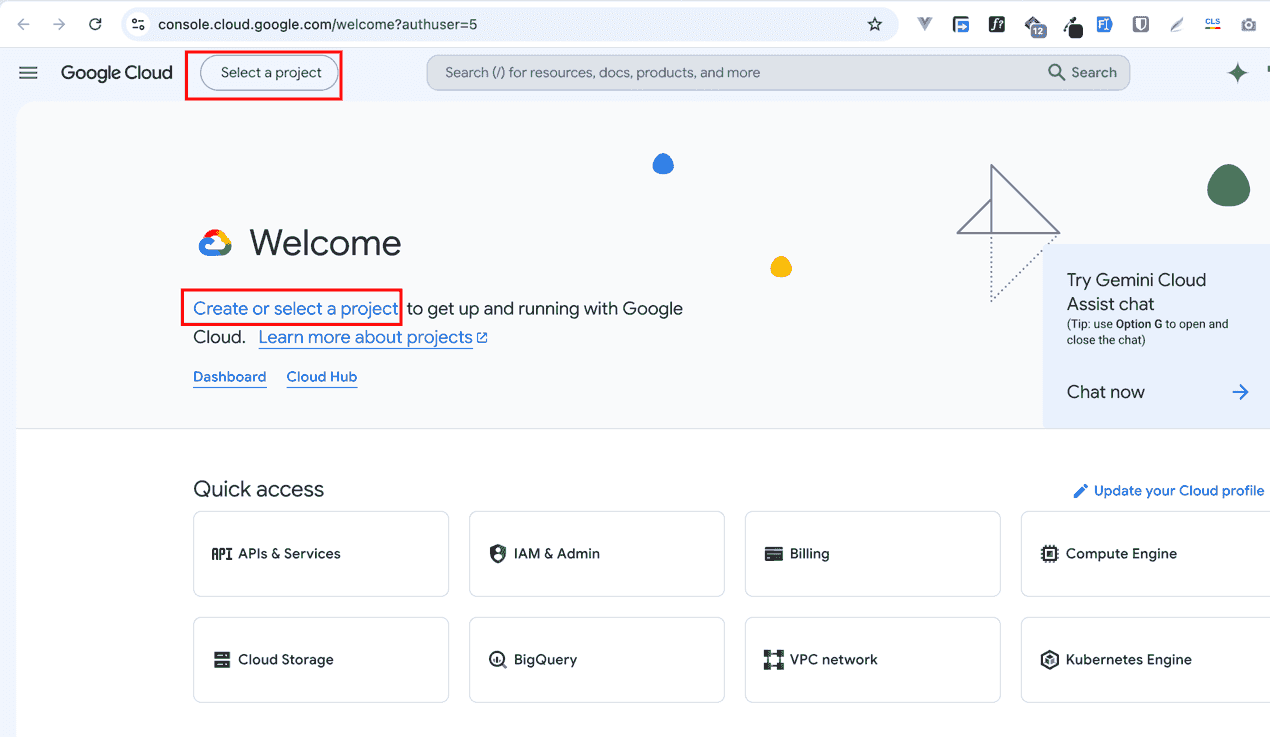
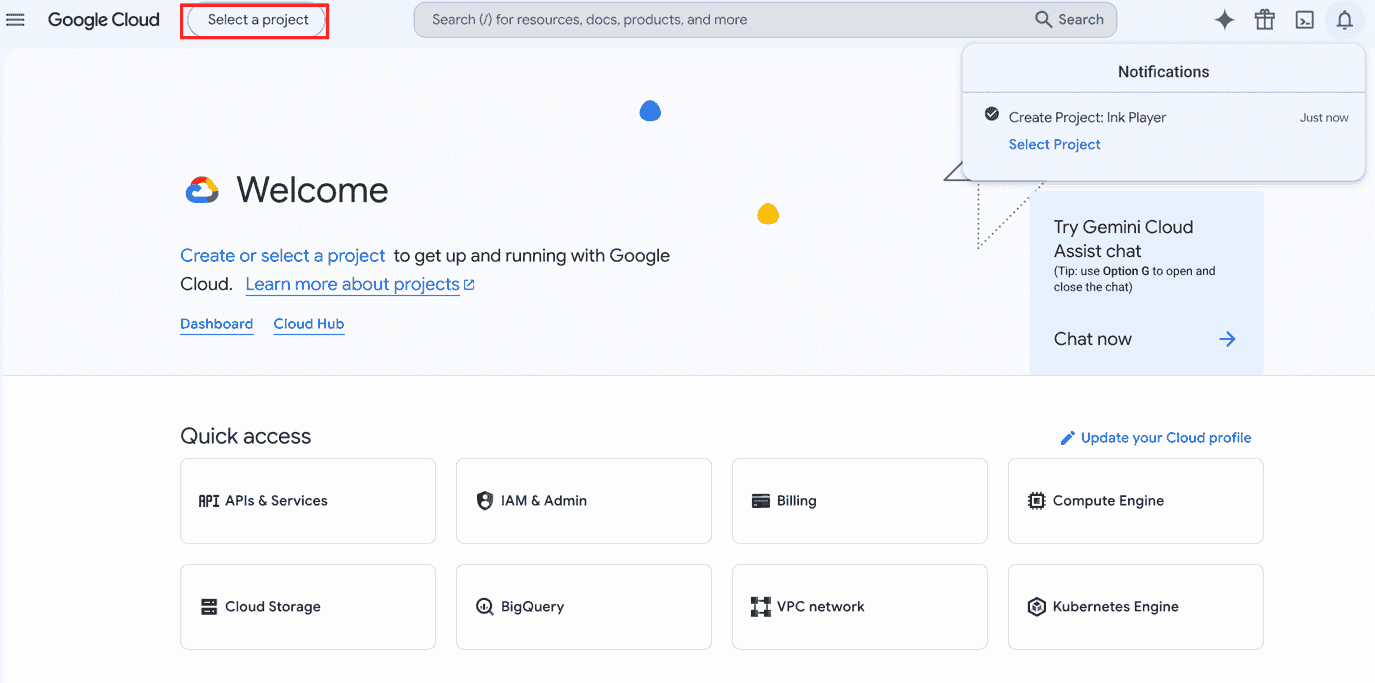
Sign in at console.cloud.google.com. On the welcome screen, click Select a project (or Create or select a project).
Step 2 — Create a project
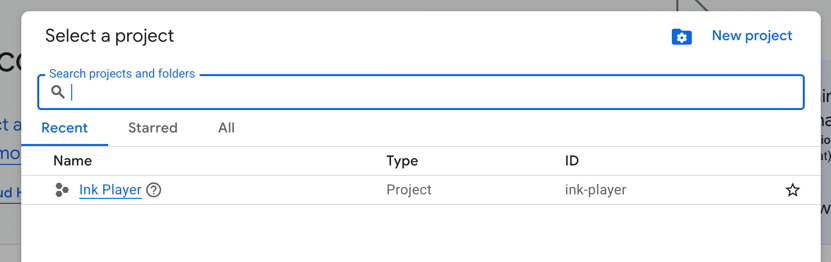
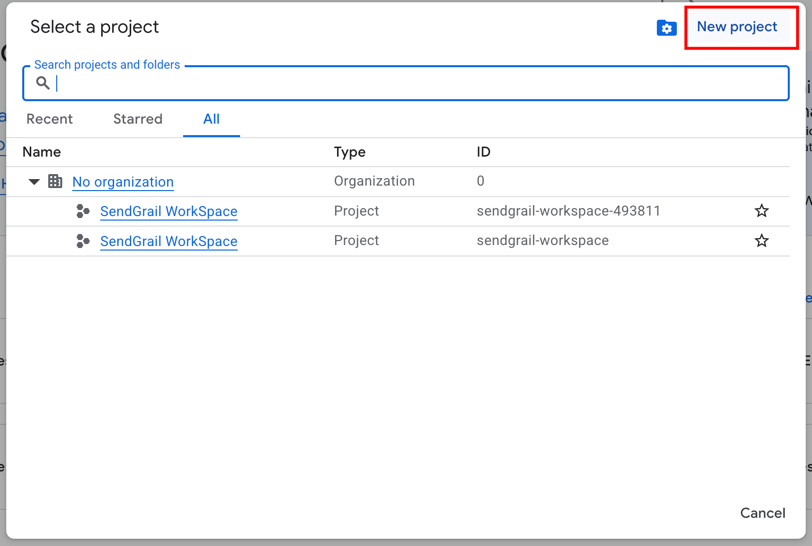
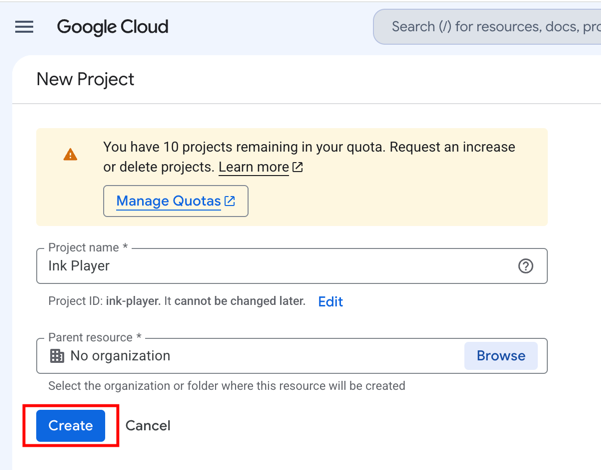
In the project picker, click New project, give it a name, and click Create.
Step 3 — Select your project
Once it's created, open the notification (or the Select a project menu) and switch to your new project.
Step 4 — Open APIs & Services
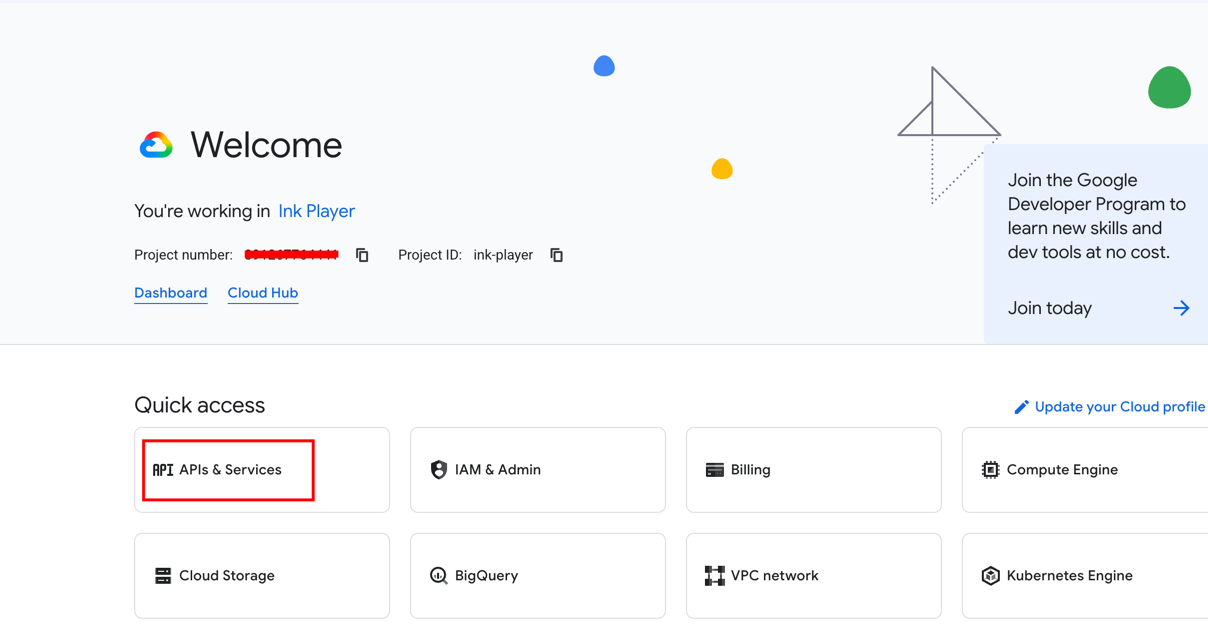
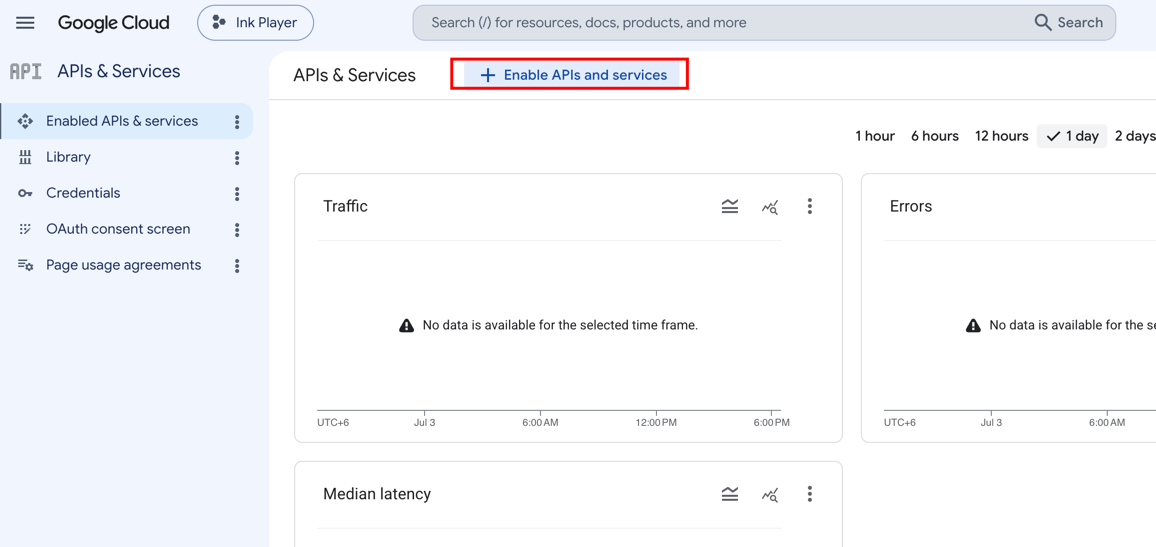
From the project dashboard, open APIs & Services, then click Enable APIs and services.
Step 5 — Enable the YouTube Data API v3
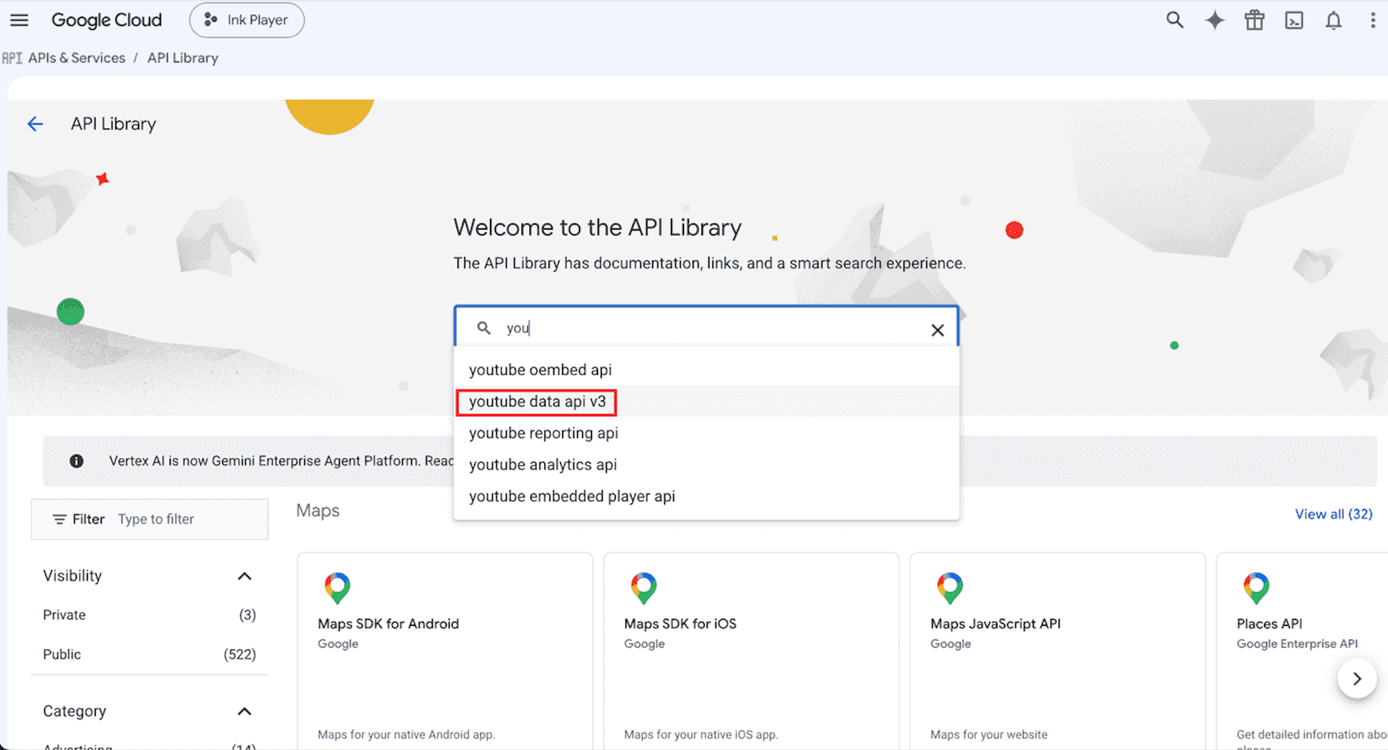
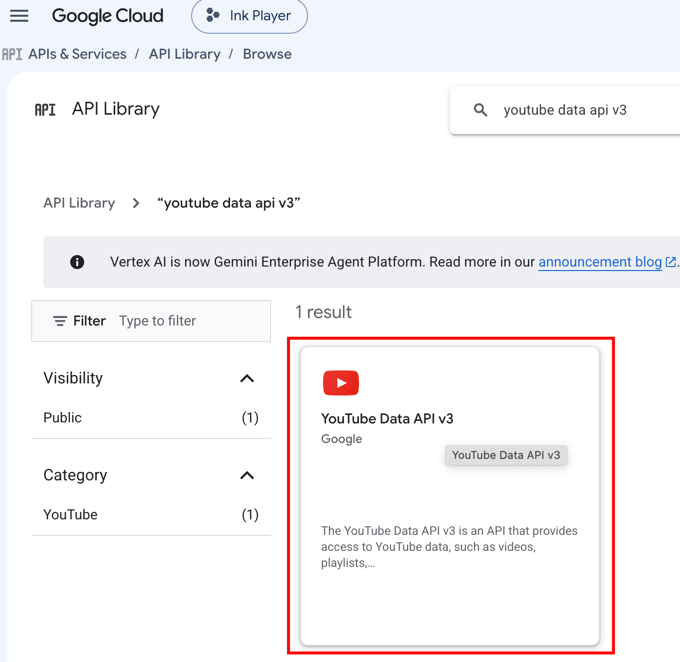
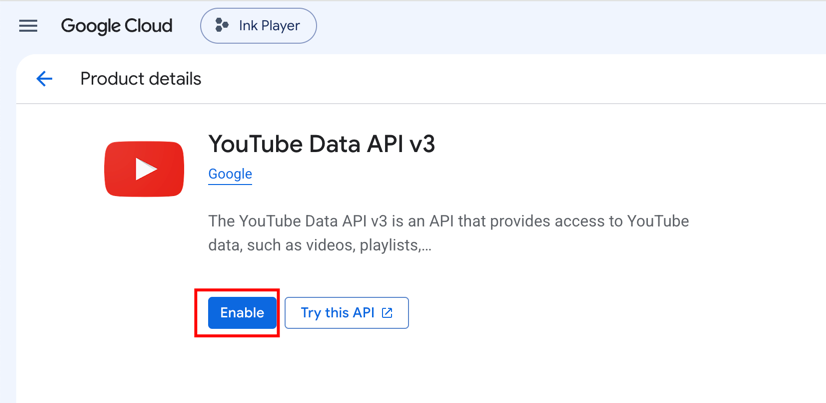
In the API Library, search for YouTube Data API v3, open it, and click Enable.
Step 6 — Create an API key
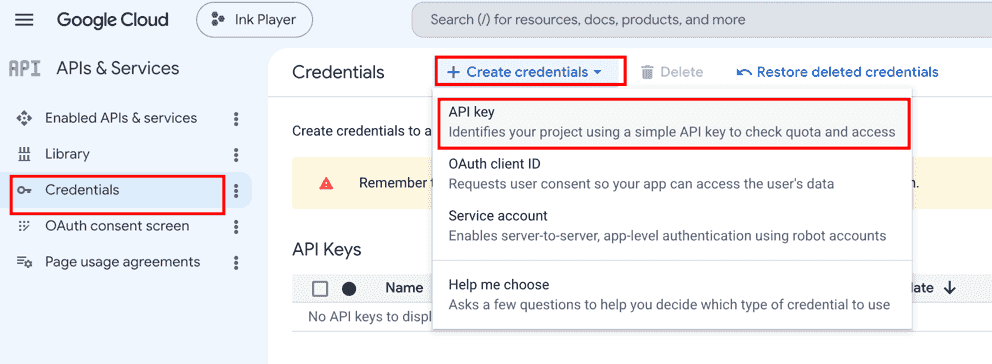
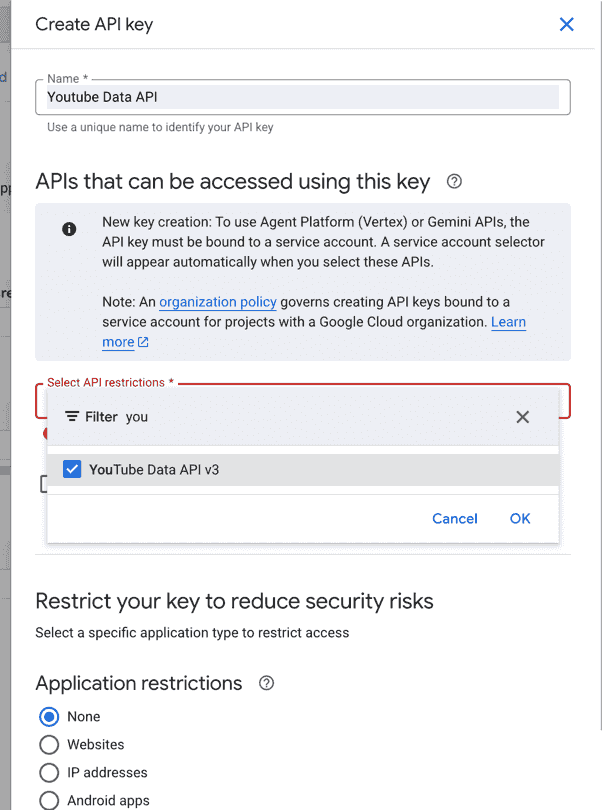
Go to Credentials → Create credentials → API key. Name the key and, under API restrictions, restrict it to YouTube Data API v3, then click Create.
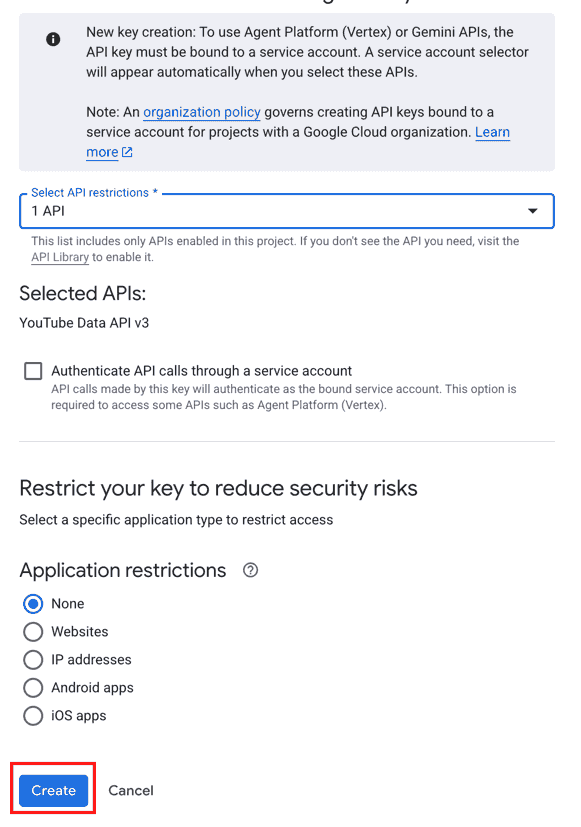
Step 7 — Copy your API key
Copy the generated key — you'll paste it into Ink Player next.
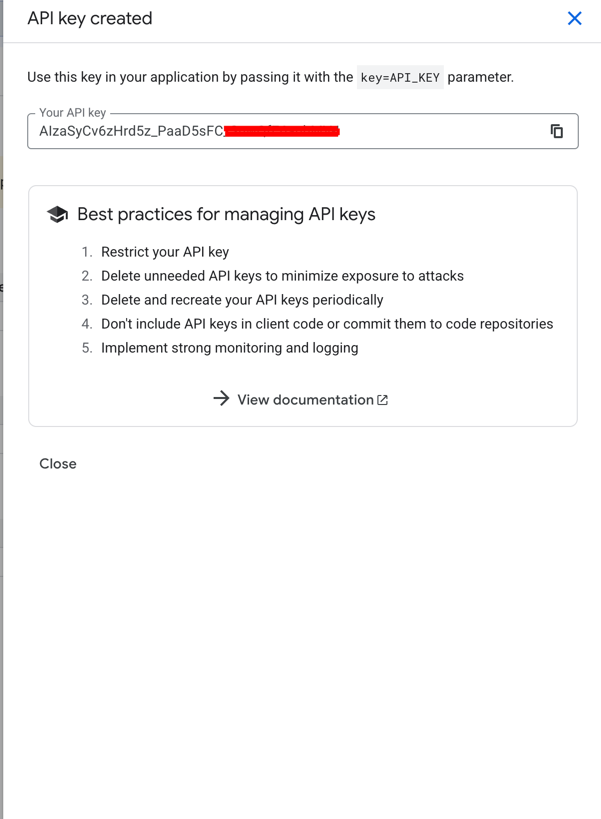
WARNING
Keep your API key private, and restrict it to the YouTube Data API v3 (as above) to limit its use.
Connect and import
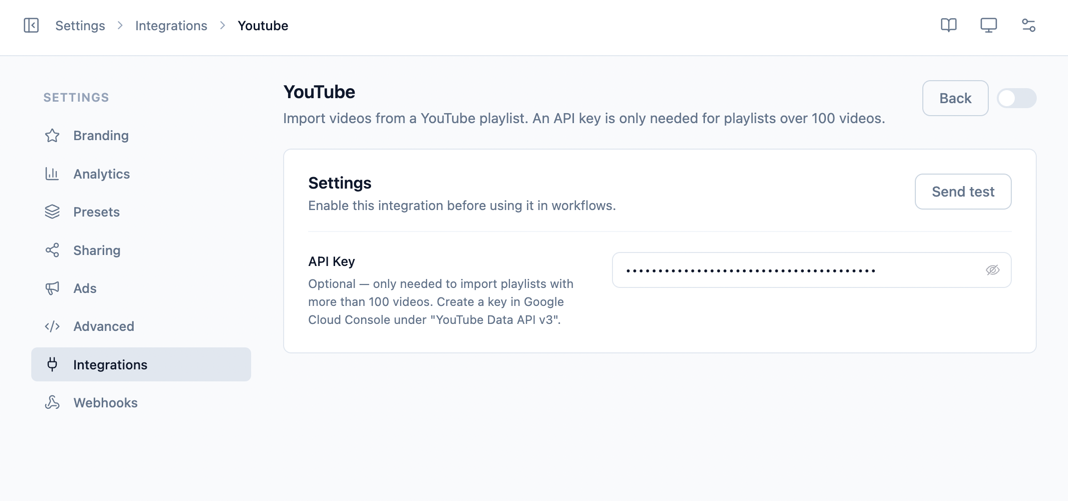
Step 1 — Enable and connect
- Go to Settings → Integrations and enable YouTube (under the Playlist category).
- Click Manage.
- (Optional) Paste your API Key — only needed for playlists over 100 videos.
- Click Send test to confirm the key reaches the YouTube Data API, then Save.
Step 2 — Import a playlist
- Go to Playlists, click Add playlist, and choose Ink Playlist.
- Paste your YouTube playlist URL and submit with the → arrow — or click YouTube Playlist under Import from.
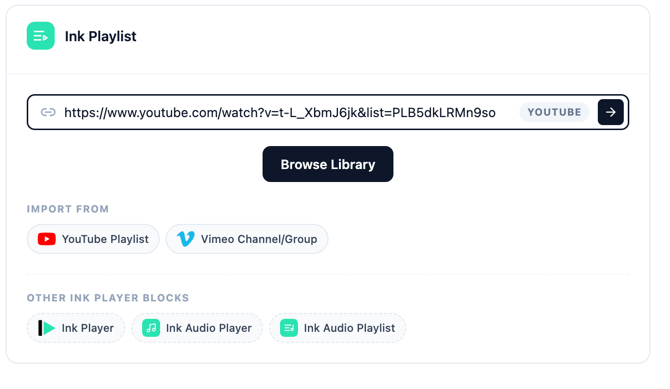
- Ink Player enumerates the playlist. Tick the videos you want (or Select All), then click Add to Playlist.
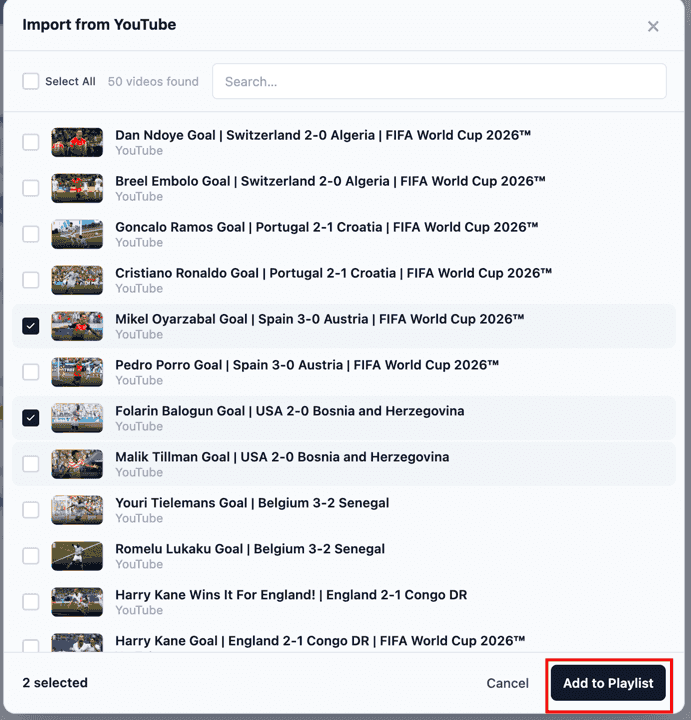
- The videos open in the playlist editor, where you can reorder, set auto-play, and Save.
Settings reference
| Field | Required | Notes |
|---|---|---|
| API Key | No | YouTube Data API v3 key. Only needed for playlists over 100 videos. Create it in the Google Cloud Console. |
WARNING
Platform embeds can't be truly access-protected. You can place a YouTube video on a gated page, but the underlying video remains reachable on YouTube itself. See Access control for what protection is and isn't possible with embedded platforms.