

Appearance
Elementor
Elementor is a popular page builder for WordPress. Enabling this integration adds a native Ink Player widget to the Elementor editor, so you can place a player anywhere on a page using the visual builder.
What this integration does
- Adds an Ink Player widget to the Elementor editor.
- Lets you drop the widget onto a page and pick the media item or playlist it renders.
Step 1 — Enable the integration
This integration is enabled by default — when Elementor is active, the widget is available with no setup. To confirm or toggle it:
- Make sure the Elementor plugin is installed and active on your site.
- Go to Settings → Integrations.
- Find the Elementor card under the Builder category and confirm the Enable toggle is on.
Step 2 — Add the Ink Player widget
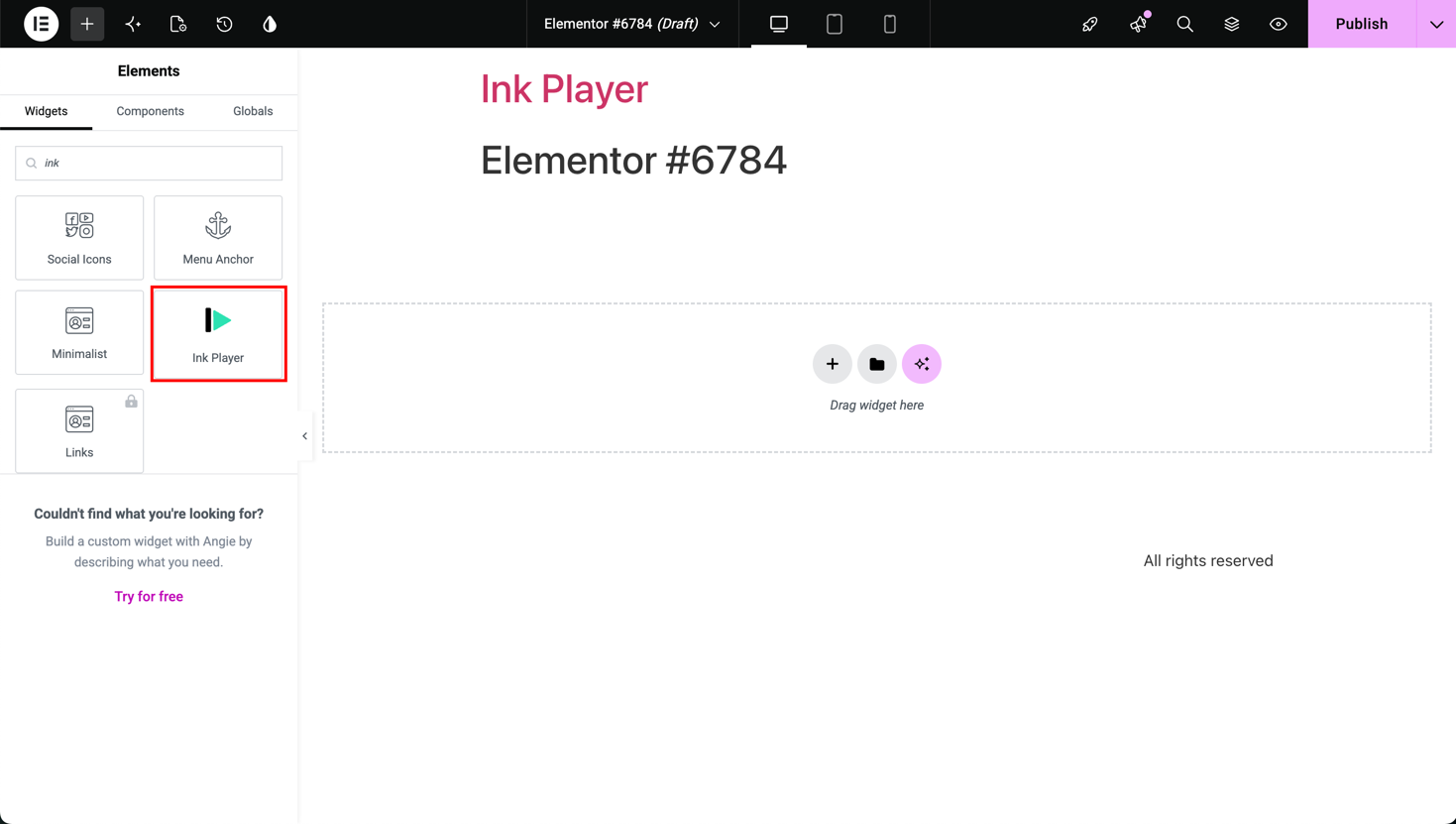
Edit a page with Elementor, then drag the Ink Player widget onto your layout.
Step 3 — Choose your content
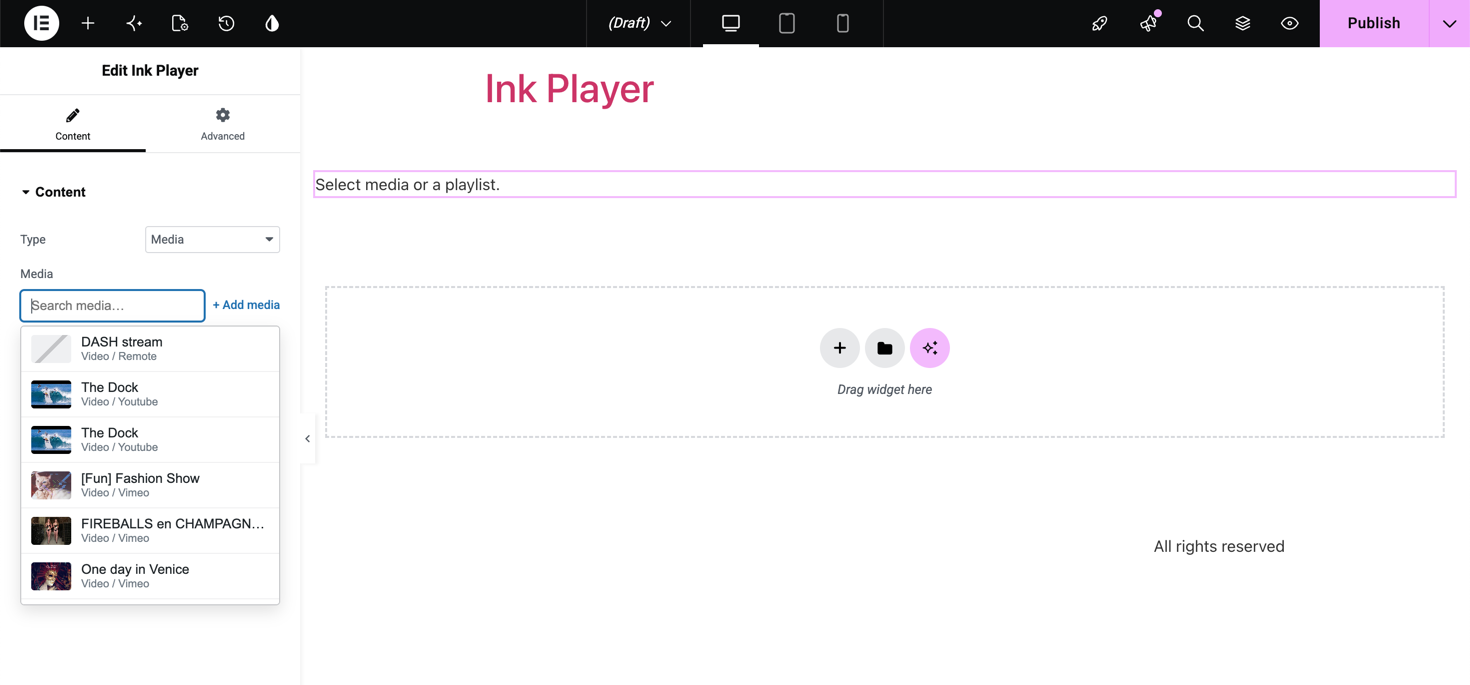
In the widget settings, use the picker to select the media item or playlist to display, and adjust the widget options.
Step 4 — Preview and publish
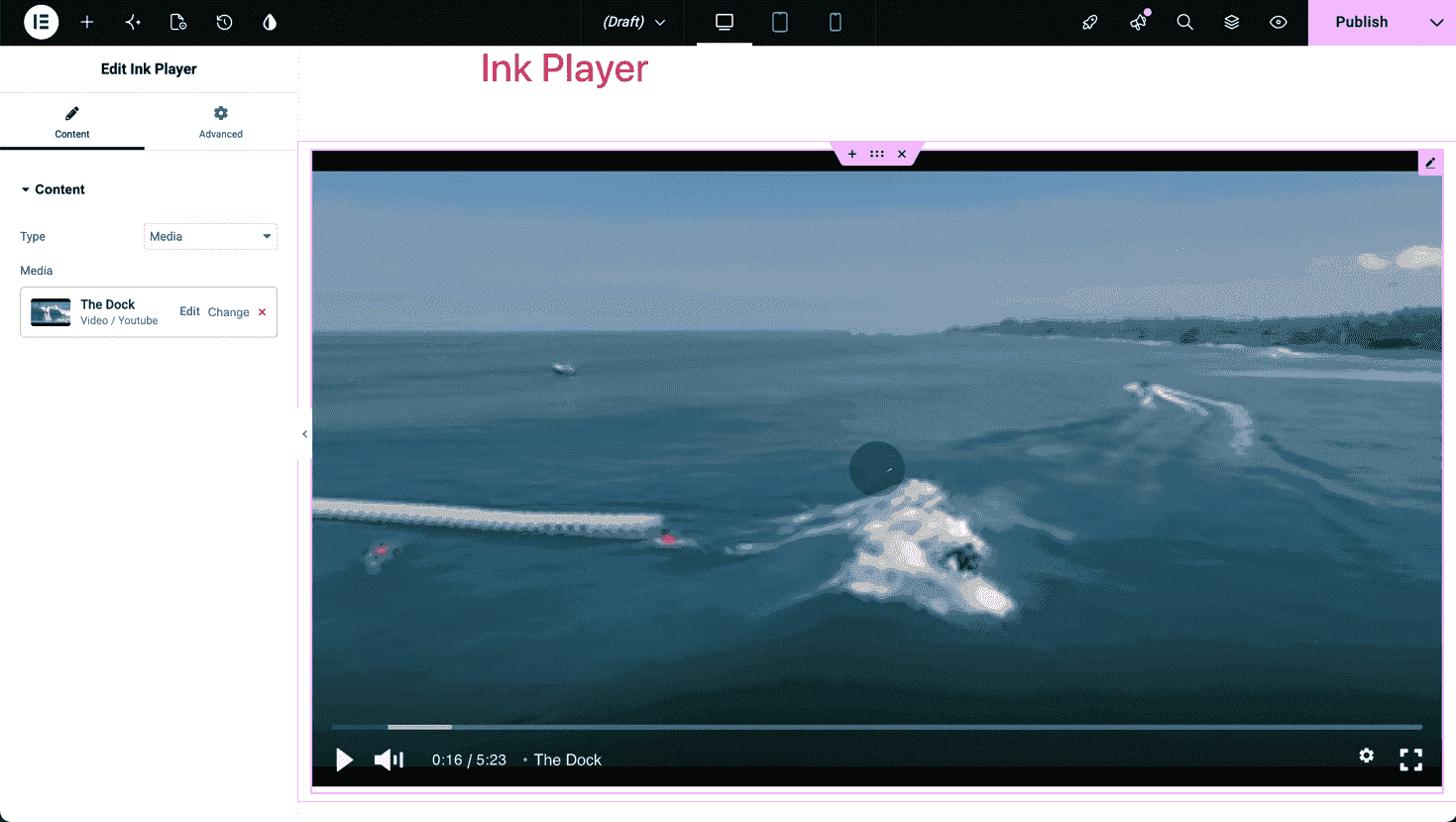
Preview the player live in the editor, then publish or update the page.
TIP
You can use the same widget for a single media item or a full playlist — just choose accordingly in the picker.
Requirements
- The Elementor plugin must be installed and active.
- At least one Ink Player media item or playlist to render.
Notes
- If the Ink Player widget doesn't appear in Elementor, confirm both Elementor and this integration are enabled.