

Appearance
MailerLite
MailerLite is an email marketing platform. Connecting it makes MailerLite a destination for the leads Ink Player captures through the email gate. When a viewer submits their email to keep watching, that Lead is added to a MailerLite group of your choice.
What this enables
- Adds captured leads as subscribers in a MailerLite group.
- Lets you pick the target group per player, in the email-gate overlay.
- Verifies your connection before you rely on it, using Send test.
Prerequisites
- An active MailerLite account.
- At least one group created in MailerLite to receive leads.
Get a MailerLite API token
Step 1 — Open Integrations
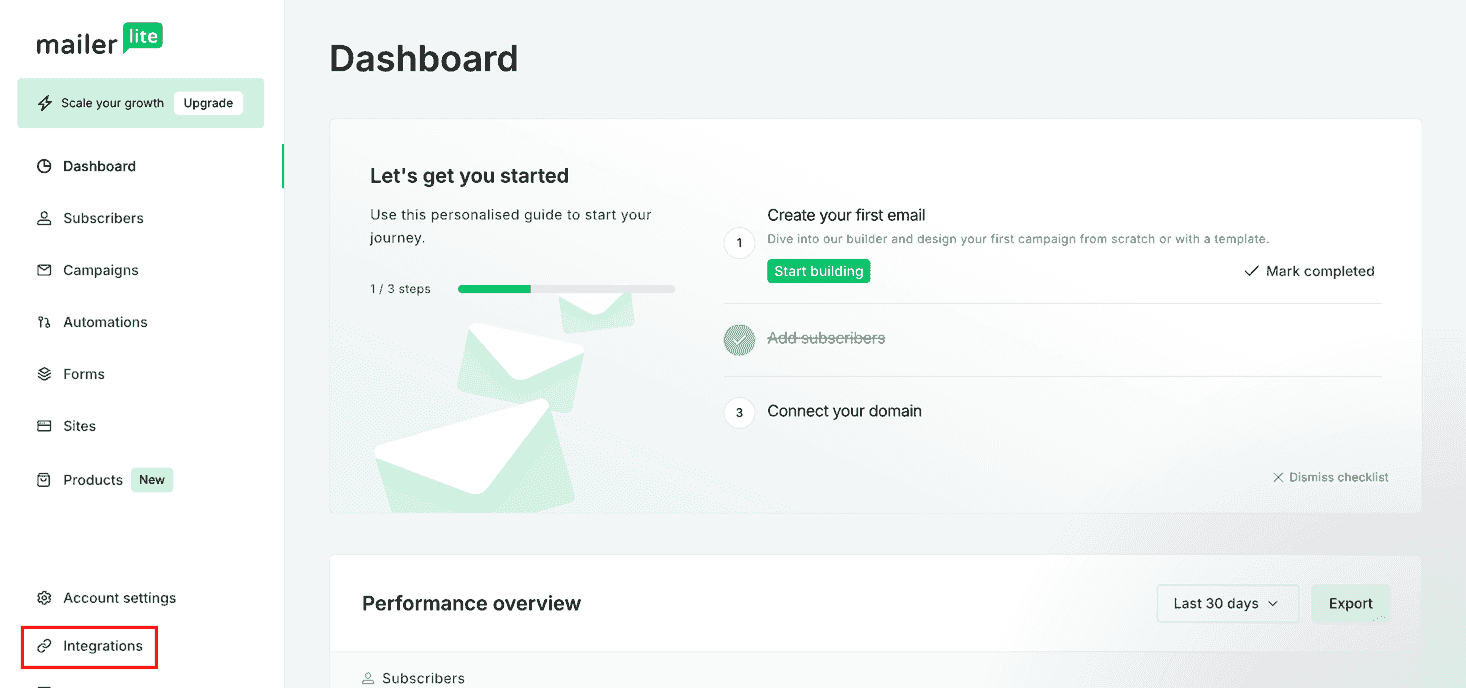
In your MailerLite dashboard, click Integrations in the left sidebar.
Step 2 — Open the API integration
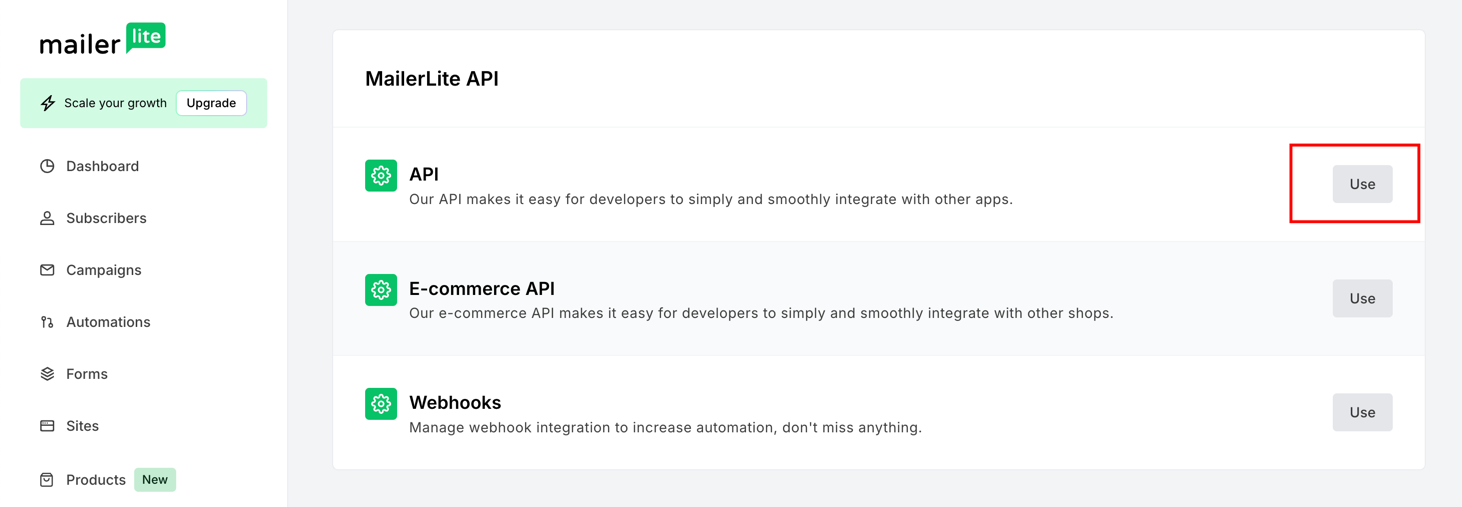
On the MailerLite API page, click Use next to API.
Step 3 — Generate a new token
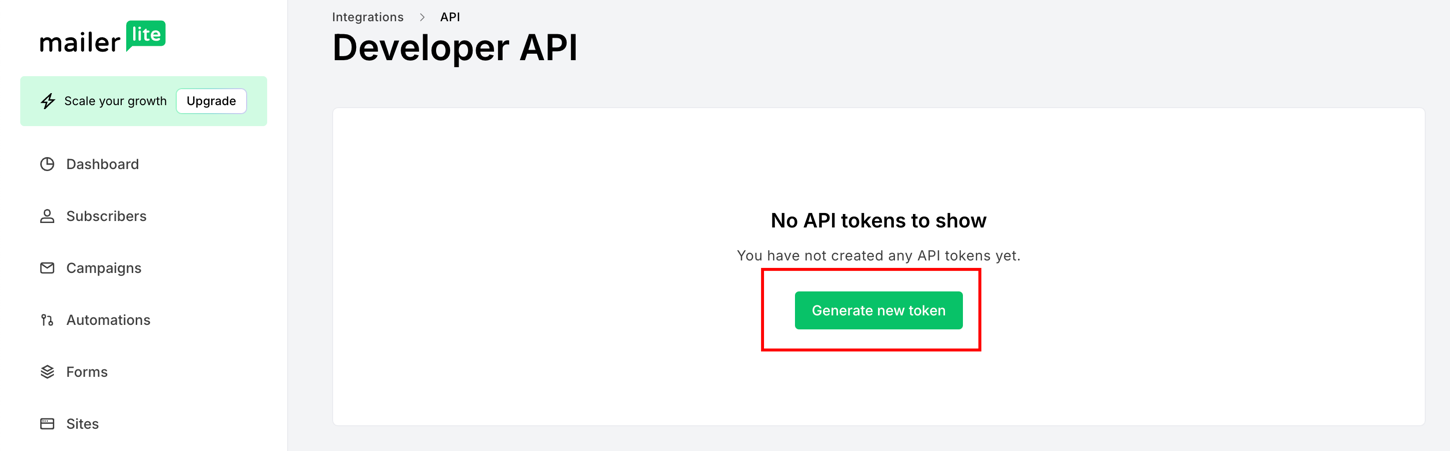
On the Developer API page, click Generate new token.
Step 4 — Name and create the token
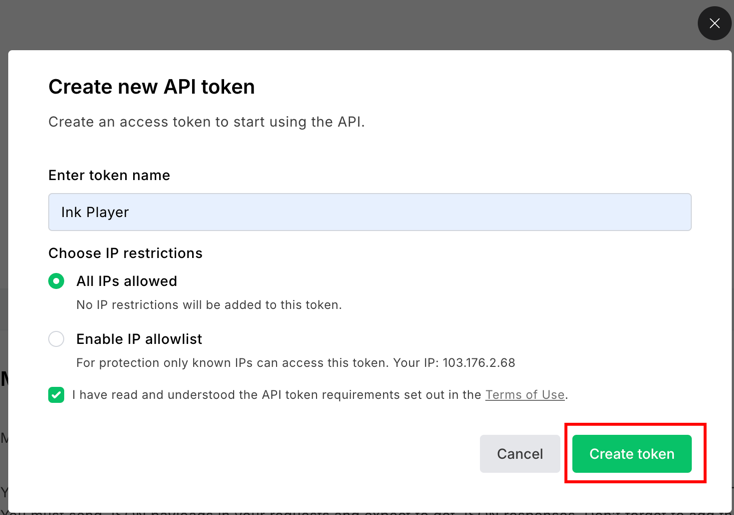
Give the token a name (e.g. Ink Player), leave All IPs allowed, accept the terms, and click Create token.
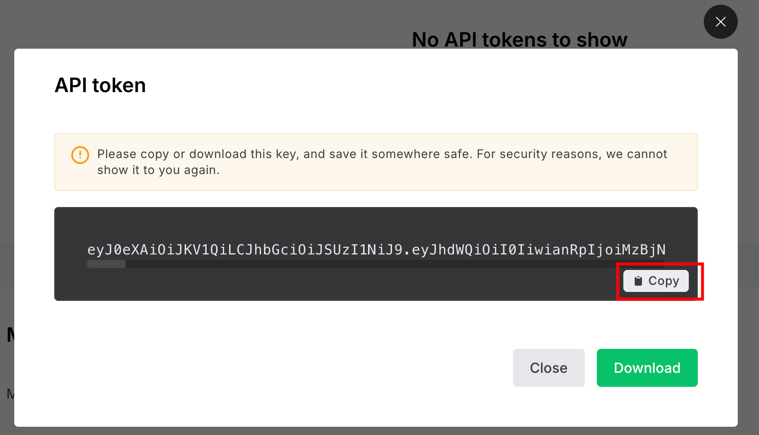
Step 5 — Copy the token
Copy the token with Copy — MailerLite shows it only once, so save it now.
WARNING
Keep your API token private — anyone with it can access your MailerLite account through the API.
Connect and capture leads
Step 1 — Connect MailerLite in Ink Player
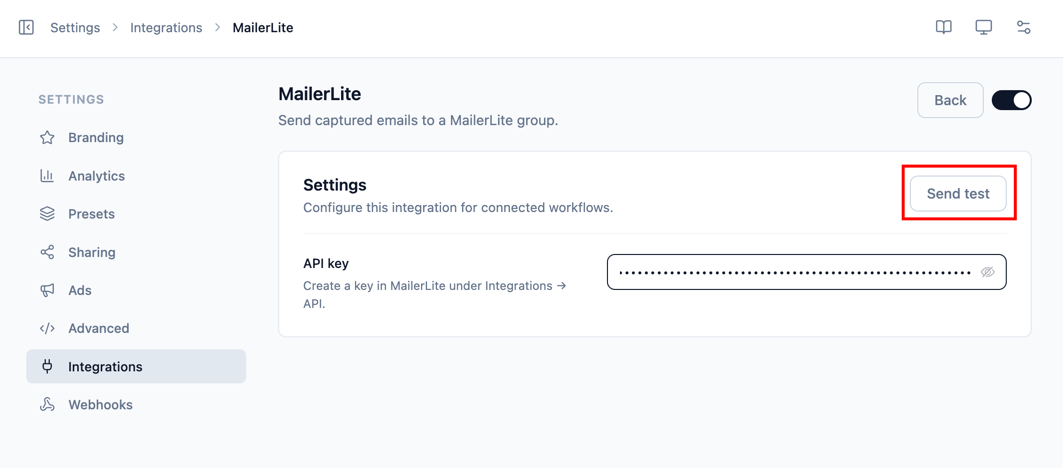
- Go to Settings → Integrations and enable MailerLite (under the Email category).
- Click Manage.
- Paste your API key (the token you copied).
- Click Send test to confirm it works, then Save.
Step 2 — Point a player's email gate at MailerLite
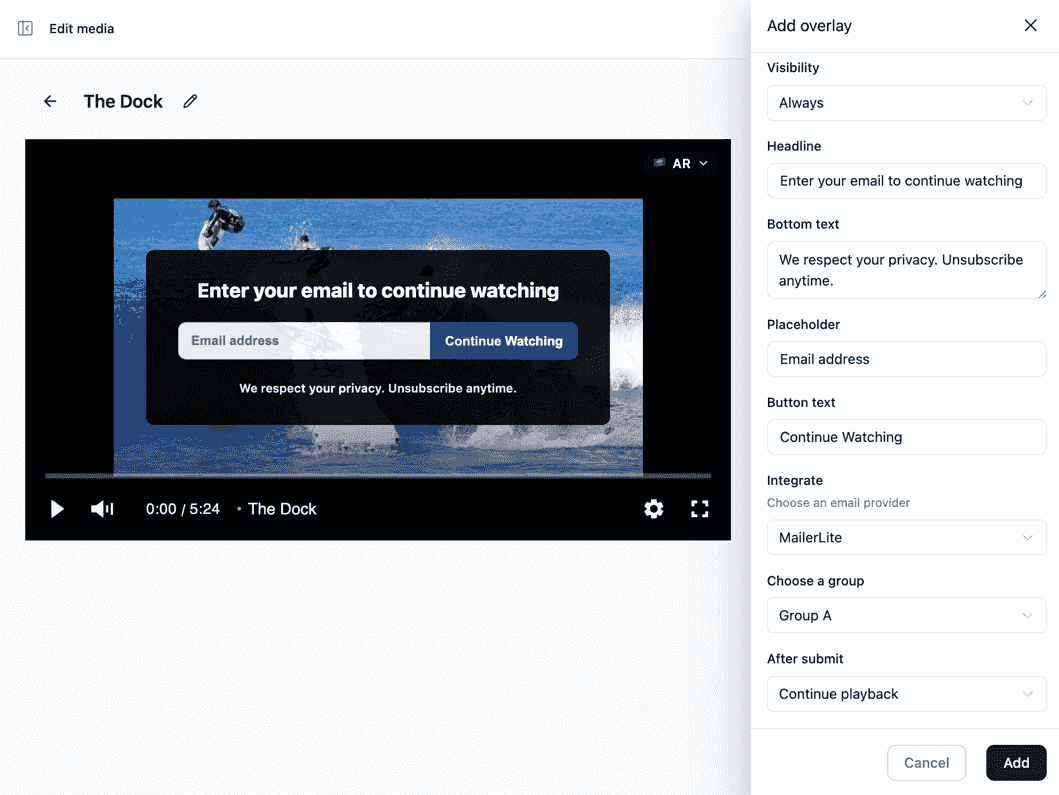
The group is chosen per player, not on the Manage screen. Add an email-gate overlay to a player, set Integrate to MailerLite, then Choose a group to send captured emails to. When a viewer submits their email, the Lead is added to that group.
Settings reference
| Field | Required | Notes |
|---|---|---|
| API key | Yes | Create a token in MailerLite under Integrations → API. |
Troubleshooting
- If Send test fails, re-check the API token and try again.
- No groups in the overlay dropdown? Confirm the token is saved and that your account has at least one group.