

Appearance
Google Analytics
Google Analytics is Google's web analytics service. When this integration is enabled and configured, Ink Player sends GA4 media events — start, progress, and completion — for each video and audio player, so playback shows up alongside the rest of your site analytics.
This is a Measurement-ID paste, not an OAuth connection — there is no Google sign-in step.
What this enables
- Optionally loads the GA4 tag for you from a Measurement ID.
- Sends GA4 start, progress (at 10/25/50/75%), and completion events for each player, following GA4's recommended video schema so they populate the built-in reports.
Prerequisites
- A Google Analytics 4 property.
- Its Measurement ID (
G-XXXXXXXXXX) — optional if GA4 is already installed on your site.
Connect
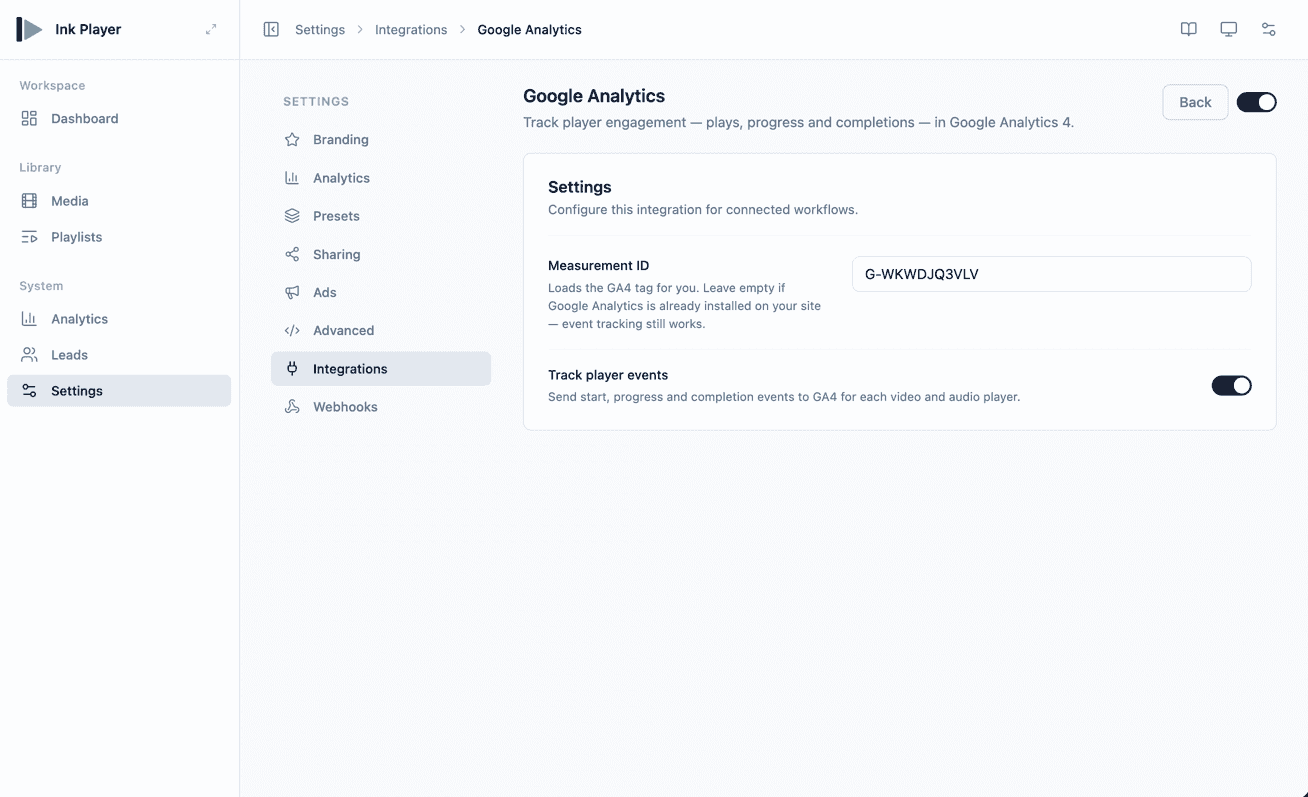
- Go to Settings → Integrations.
- Find the Google Analytics card under the Analytics category.
- Click Enable, then Manage.
- Paste your Measurement ID, or leave it empty if Google Analytics is already on your site.
- Turn on Track player events to send playback events to GA4.
- Click Save.
Settings reference
| Field | Required | Notes |
|---|---|---|
| Measurement ID | No | G-XXXXXXXXXX. Loads the GA4 tag for you. Leave empty if GA4 is already installed — event tracking still works. |
| Track player events | No | Sends start, progress, and completion events to GA4 for each video and audio player. |
INFO
This integration is separate from Ink Player's own built-in Analytics, which tracks playback without any external service. Google Analytics surfaces player events inside your existing Google reporting.
Troubleshooting
- Events may take some time to appear in GA4 reports.
- If no events arrive, confirm Track player events is on and that a GA4 tag is present — either via the Measurement ID here, or already loaded on the site.