

Appearance
Vimeo
Vimeo is a Playlist integration. Enable it to import a Vimeo channel, group, or showcase into Ink Player: paste the collection URL, pick which videos to include, and Ink Player builds a playlist from them — each video played through Vimeo's embed. A Vimeo access token is required so Ink Player can enumerate the collection.
What this enables
- Import every video from a Vimeo channel, group, or showcase URL into an Ink Player playlist.
- Pages through large collections using the Vimeo API.
Prerequisites
- A Vimeo access token with the Public and Private scopes (see Step 1). Without it, the import can't enumerate a collection and will fail.
Step 1 — Create a Vimeo access token
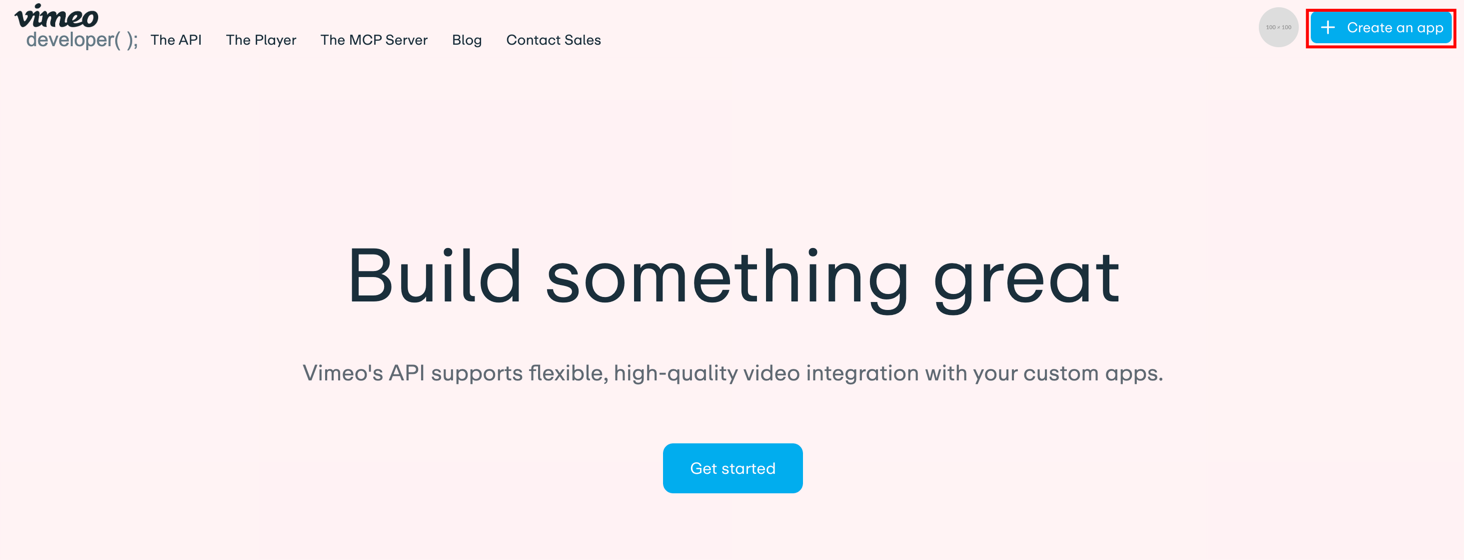
- Go to developer.vimeo.com and click Create an app (top right).
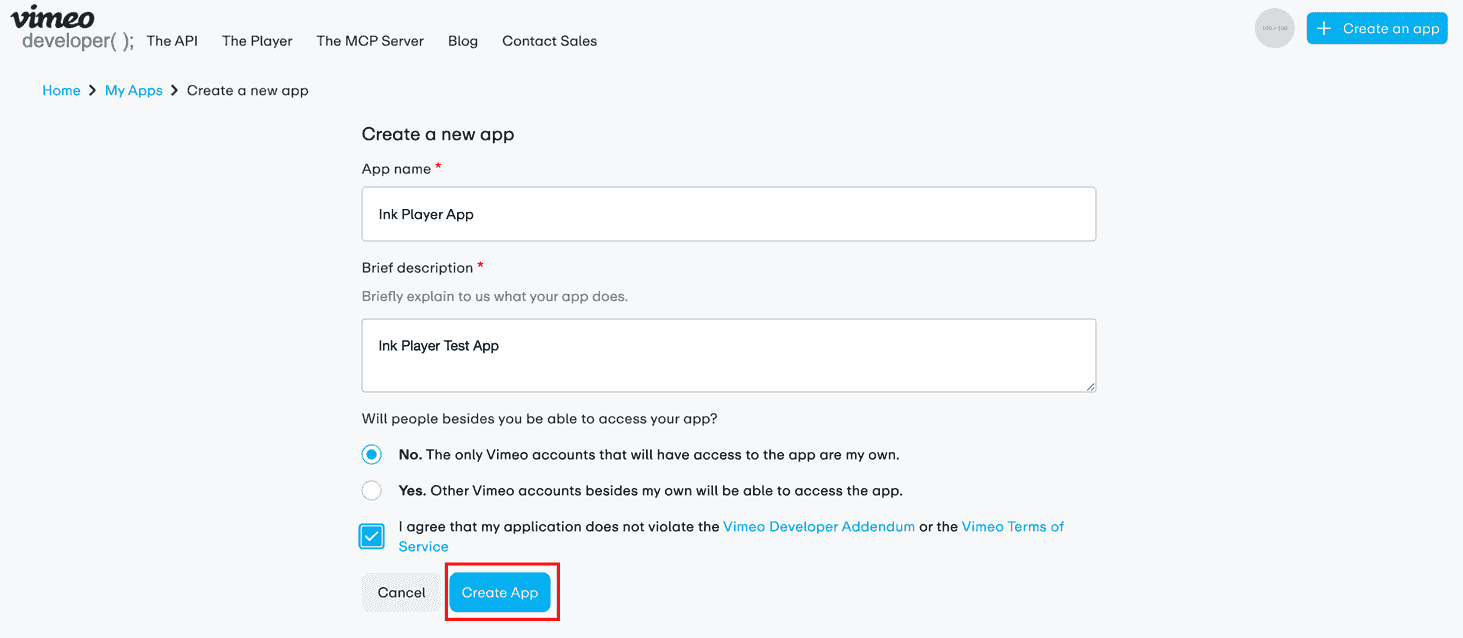
- Fill in an App name and description, choose who can access the app, agree to the terms, and click Create App.
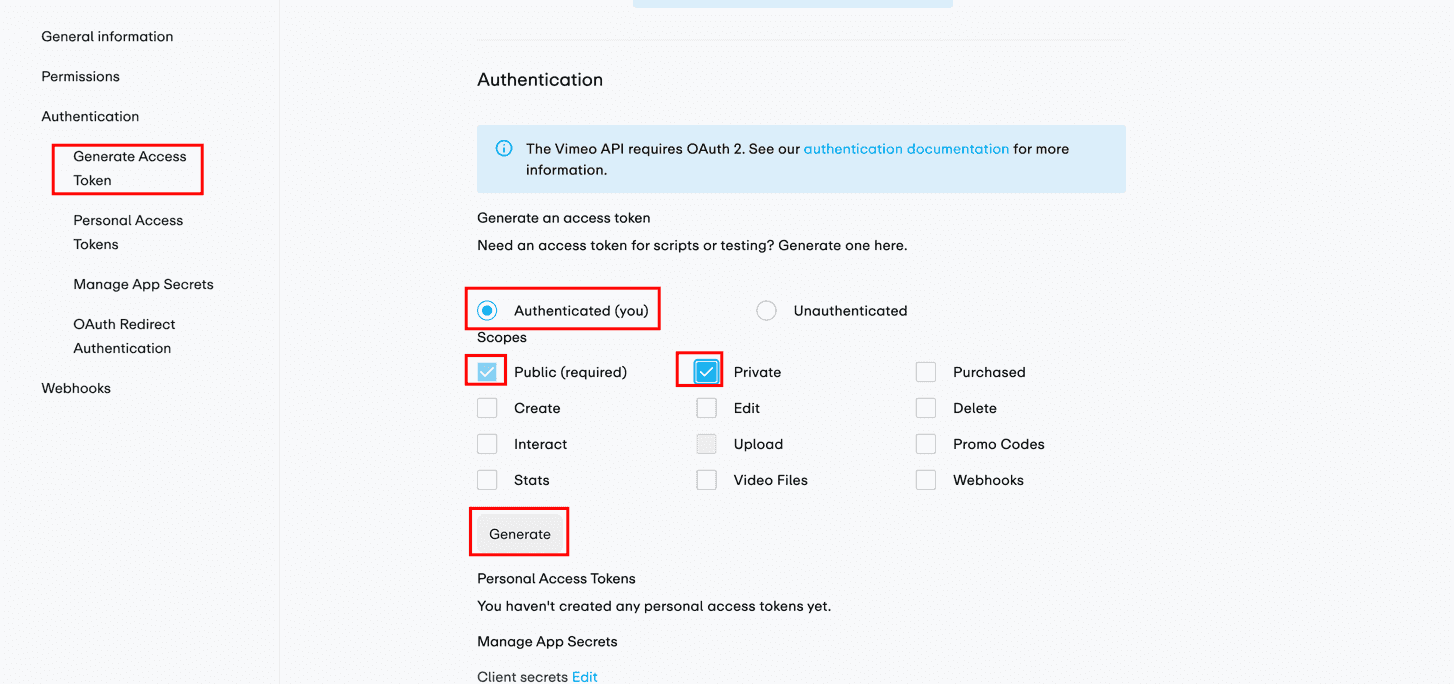
- Open the app's Authentication tab. Under Generate an access token, select Authenticated (you), tick the Public (required) and Private scopes, then click Generate.
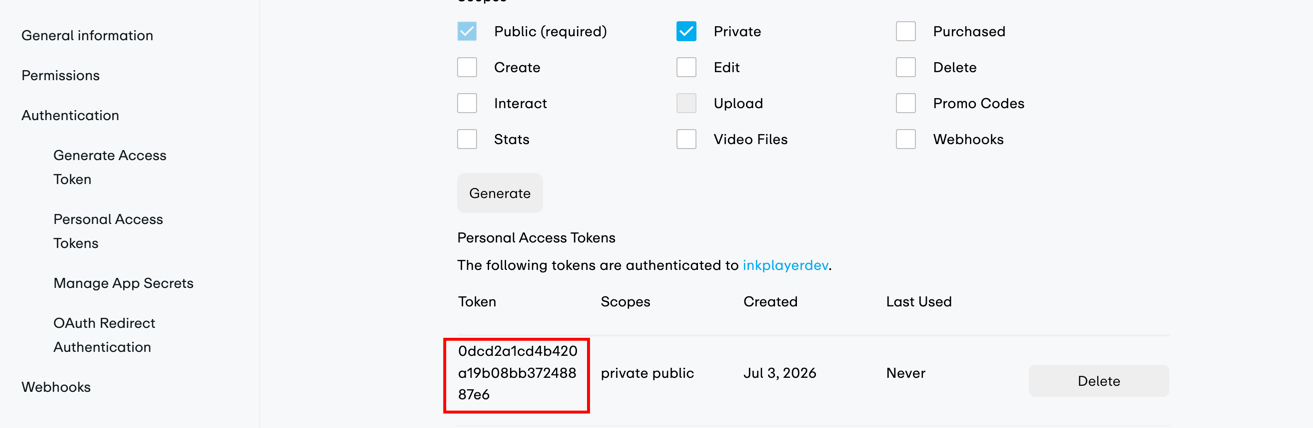
- Copy the new token from the Personal Access Tokens list — you'll paste it into Ink Player next.
WARNING
Keep your access token private — anyone with it can act on your Vimeo account within its scopes.
Step 2 — Enable and connect
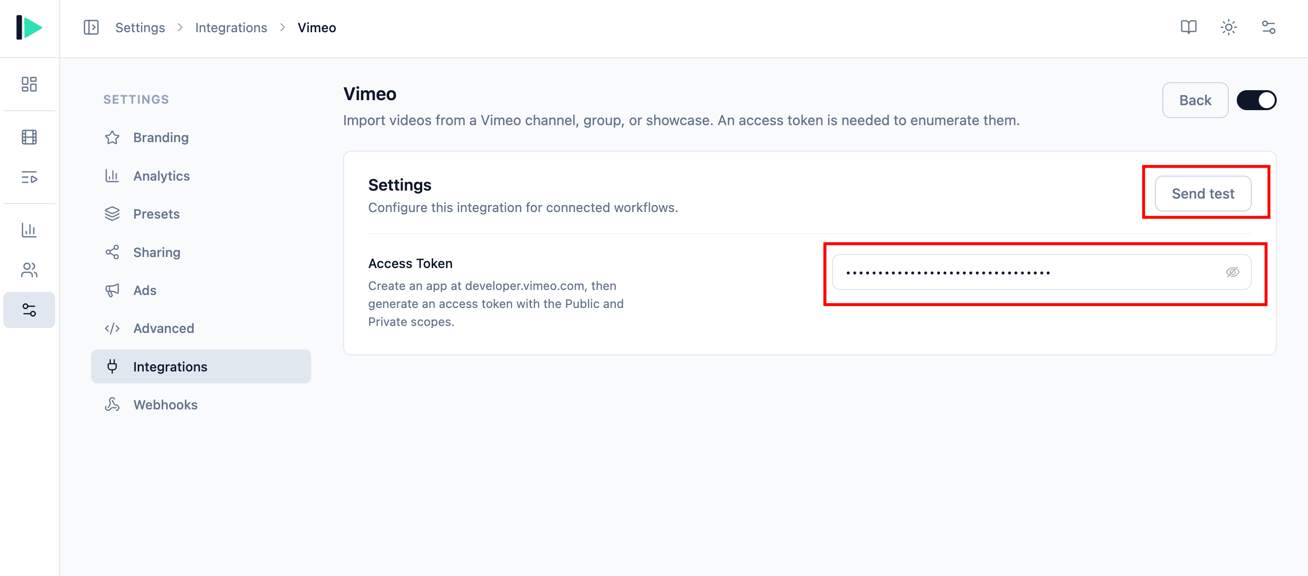
- Go to Settings → Integrations and enable Vimeo (under the Playlist category).
- Click Manage.
- Paste your Access Token.
- Click Send test to confirm the token works — a success message shows the connected account name — then Save.
Step 3 — Import a collection
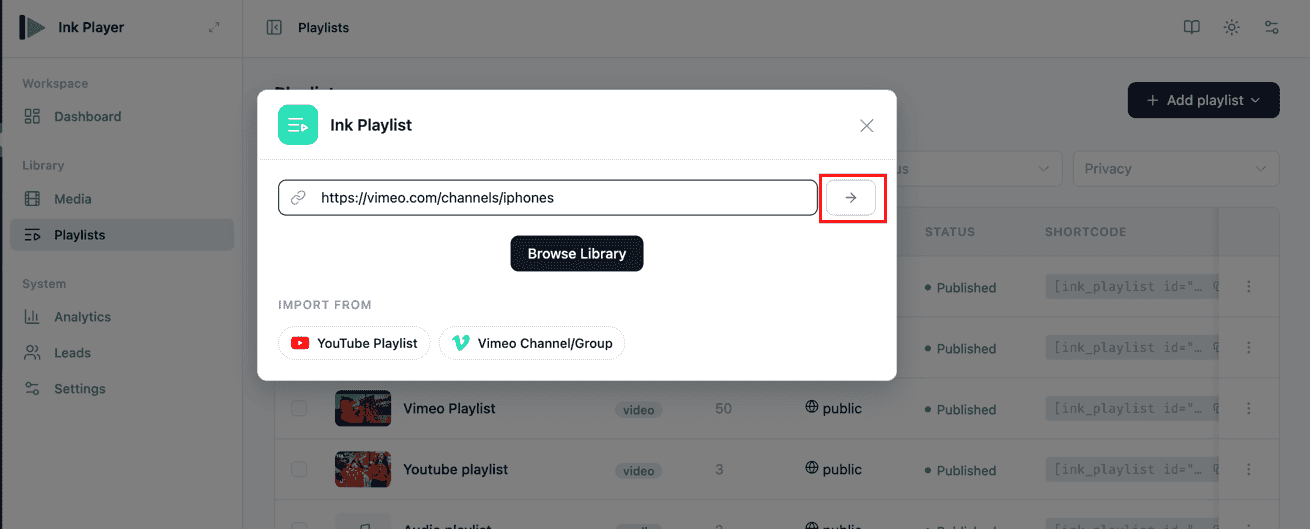
- Go to Playlists, click Add playlist, and choose Ink Playlist.
- Paste your Vimeo channel, group, or showcase URL and submit with the → arrow — or click Vimeo Channel/Group under Import from.
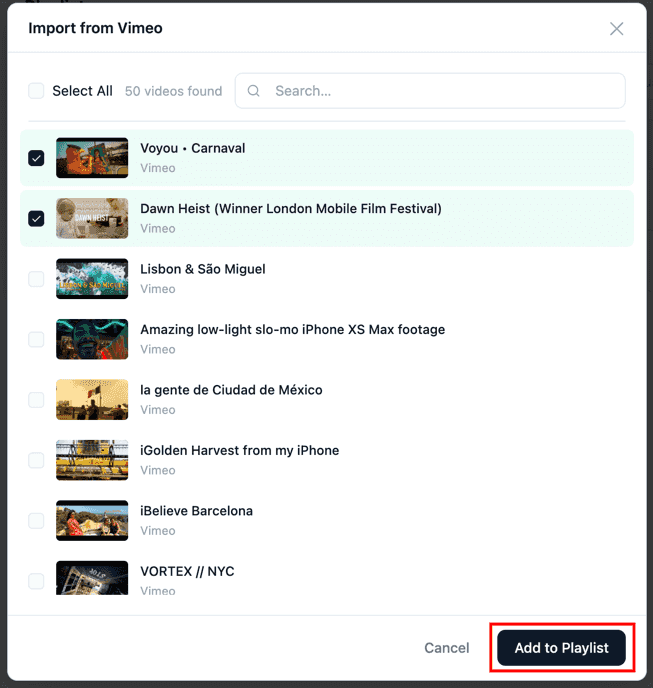
- Ink Player enumerates the collection. In Import from Vimeo, tick the videos you want (or Select All), then click Add to Playlist.
Step 4 — Edit and save the playlist
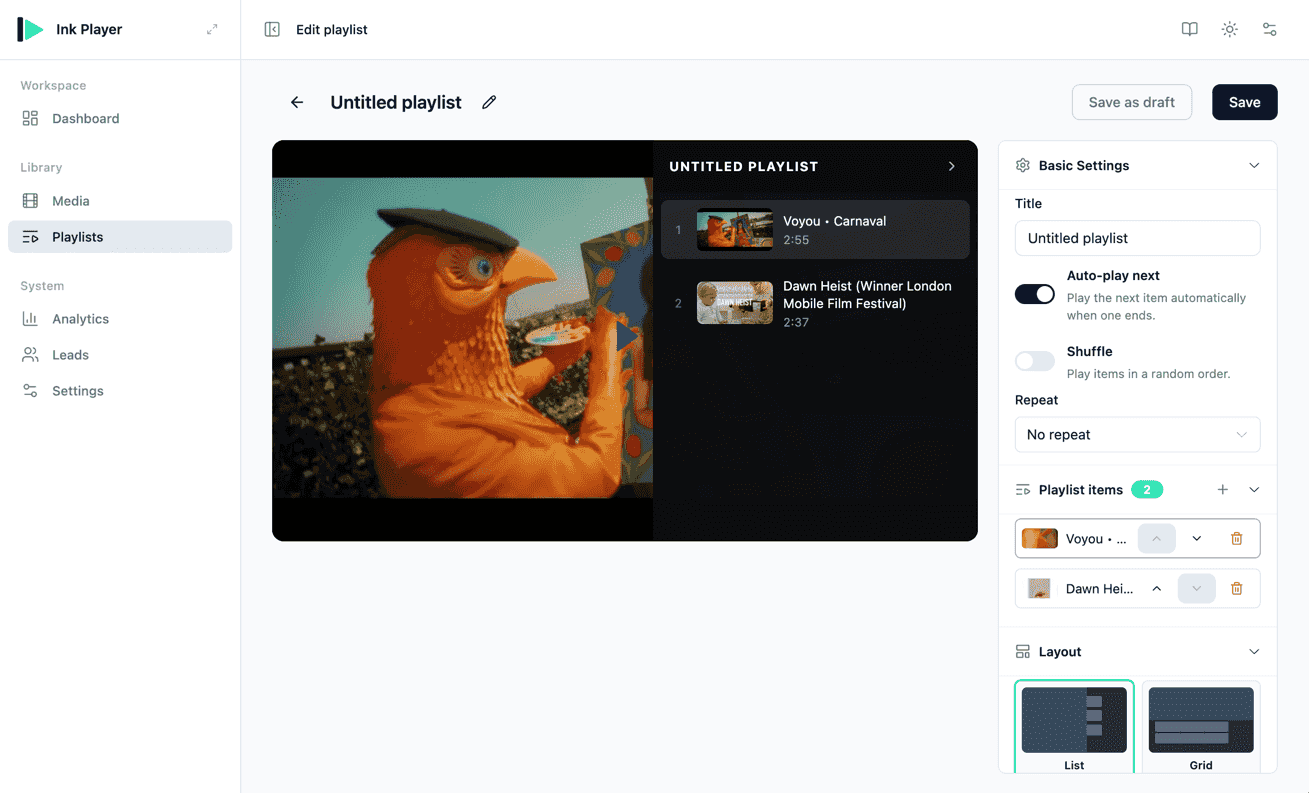
The imported videos open in the playlist editor, where you can name the playlist, reorder items, set auto-play, shuffle, repeat, and layout, then Save. It's now a regular Ink Player playlist, ready to embed — each video plays through Vimeo's embed.
Settings reference
| Field | Required | Notes |
|---|---|---|
| Access Token | Yes | Created at developer.vimeo.com with the Public and Private scopes. Imports fail without it. |
Troubleshooting
- Import fails or returns nothing — confirm the token has both the Public and Private scopes, and that Vimeo is enabled on the Integrations screen.
- Use Send test to verify the token before importing.
WARNING
Platform embeds can't be truly access-protected. You can place a Vimeo video on a gated page, but the underlying video remains reachable on Vimeo itself. See Access control for what protection is and isn't possible with embedded platforms.