

Appearance
Webhooks
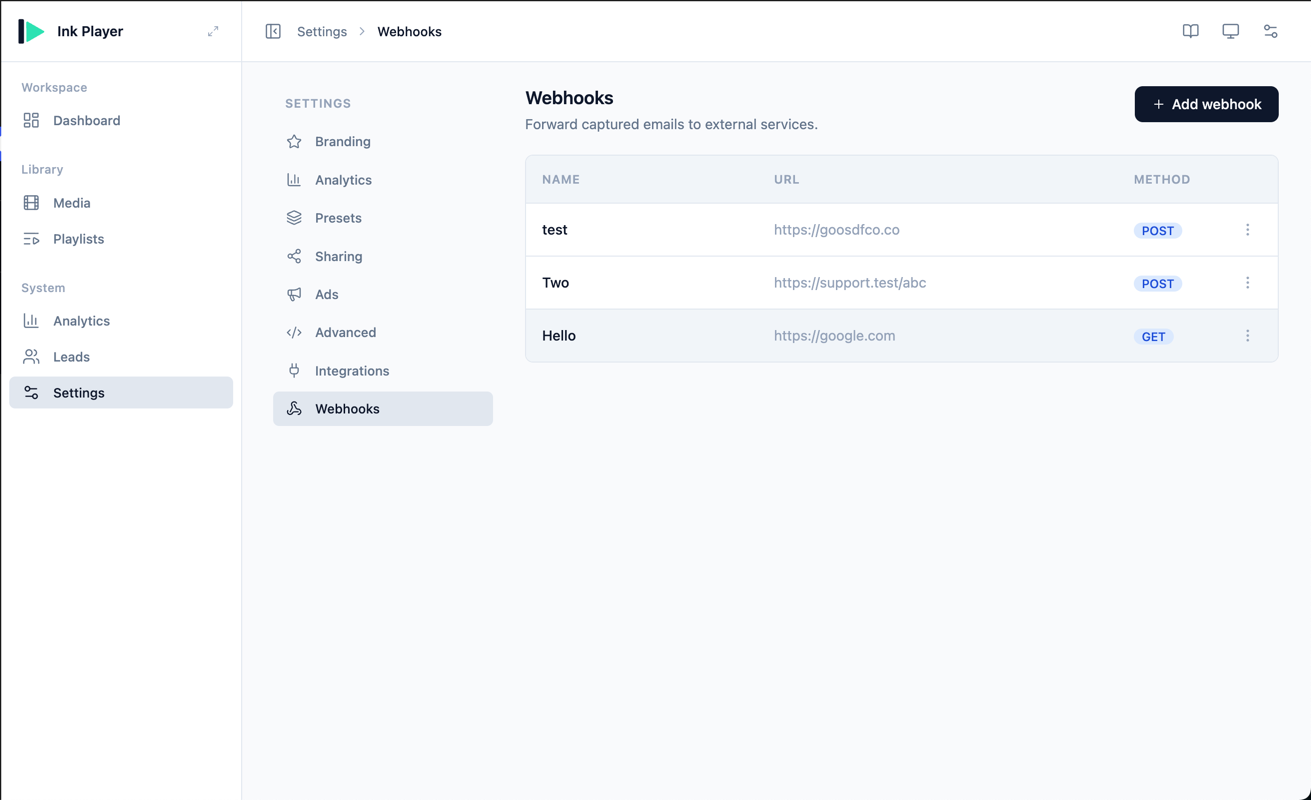
Webhooks forward captured leads to any URL you choose. When a lead is captured and delivered to a webhook, Ink Player sends the lead payload to your destination URL, where another app or service can act on it.
Webhooks are one of the delivery destinations for Leads, alongside the email and CRM integrations available under Integrations.
How a Webhook Works
Each webhook has:
- Name — a label so you can recognize it in the list. Required.
- Destination URL — where the payload is sent. Required.
- Method —
POSTorGET. This controls how the payload is delivered. - Headers — optional custom request headers, added as key/value pairs.
Method Behavior
- POST — the payload is sent as a JSON body with a
Content-Type: application/jsonheader. - GET — the payload is appended to the destination URL as a query string.
Creating a Webhook
- Select Add webhook.
- Enter a Name and the Destination URL that should receive the payload.
- Choose the Method —
POSTorGET. - Optionally add custom Headers as key/value pairs.
- Select Create webhook.
To start sending leads here, pick Webhooks as the delivery destination on the Leads side.
The Payload
Webhooks receive the captured-lead payload. It is sent whenever a lead is captured and routed to the webhook, with these fields:
event— alwayslead.captured.email— the captured email address.name— the lead's name, if provided.content_id— the numeric ID of the related media.content_uid— the media's unique identifier.content_type— the content type, e.g.video.source_url— the page the lead was captured on.captured_at— an ISO 8601 timestamp.
Editing and Deleting a Webhook
Open the row menu to manage a webhook:
- Edit — update the name, destination URL, method, or headers, then save.
- Delete — remove the webhook. Once deleted, no further payloads are sent to that URL.
INFO
Webhooks are saved as you create, edit, or delete them in the dialog — there is no separate Save bar on this page.